



Fitbit Edge vs Fitbit Air vs…

Autumn Comfort Food: How to Eat…

Soup Maker vs Saucepan: Which Suits…

The Best Lighting for Darker Autumn…

Create an Autumn Wind-Down Routine That…

Heated Throw vs Heated Blanket vs…

Autumn Sleep Reset: Light, Temperature and…

Dehumidifiers Explained: When Are They Actually…

A Realistic Autumn Walking Routine for…

Autumn Social Reset: Small Plans for…

Sekonda Smart Ring vs Oura Ring…

Make Your Home Cosier Without Turning…
Meeting fatigue is sneaky because the calendar says the call is over, but your brain often disagrees. You close the meeting, stare at the screen, forget what you were doing, open three tabs for no reason and suddenly your focused work block has turned into digital wandering with snacks. The goal is not to hate all meetings. It is to stop meetings from quietly stealing the energy needed for the actual work.
Meeting fatigue drains focus.
Back-to-back calls hit hardest.
Camera time adds pressure.
Listening takes real energy.
Decisions create mental load.
Recovery needs planned transitions.
Better meeting boundaries protect deep work.

Meeting fatigue and how to recover your day
Why meetings feel so draining
Meetings can be tiring because they demand attention, listening, speaking, decision-making and social awareness at the same time. Remote calls add screen focus, camera pressure and fewer natural body cues. Even when the meeting is useful, your brain may leave it carrying loose tasks, half-decisions and follow-up thoughts.
The problem with back-to-back calls
Back-to-back calls remove the transition time your brain needs. One meeting ends, another begins, and there is no space to process, write actions or reset your attention. By the third call, even simple questions can feel heavier. The day becomes a relay race where nobody remembered to include breathing.
Camera fatigue
Camera fatigue happens when you spend long stretches monitoring how you appear while trying to listen and contribute. You may be watching faces, slides, chat, your own image and the clock at once. That extra self-awareness can make video calls more tiring than the meeting length suggests.
Listening fatigue
Listening fatigue is real, especially in remote meetings where tone, timing and body language are harder to read. Your brain works harder to follow interruptions, audio delays and overlapping points. A call may look passive from the outside, but active listening can use plenty of energy.
Decision fatigue
Meetings often create decisions: what to prioritise, who owns the task, what needs changing and what happens next. If those decisions are unclear, they linger after the call. That unfinished mental load can make it hard to restart deep work, because your brain is still sorting meeting leftovers.
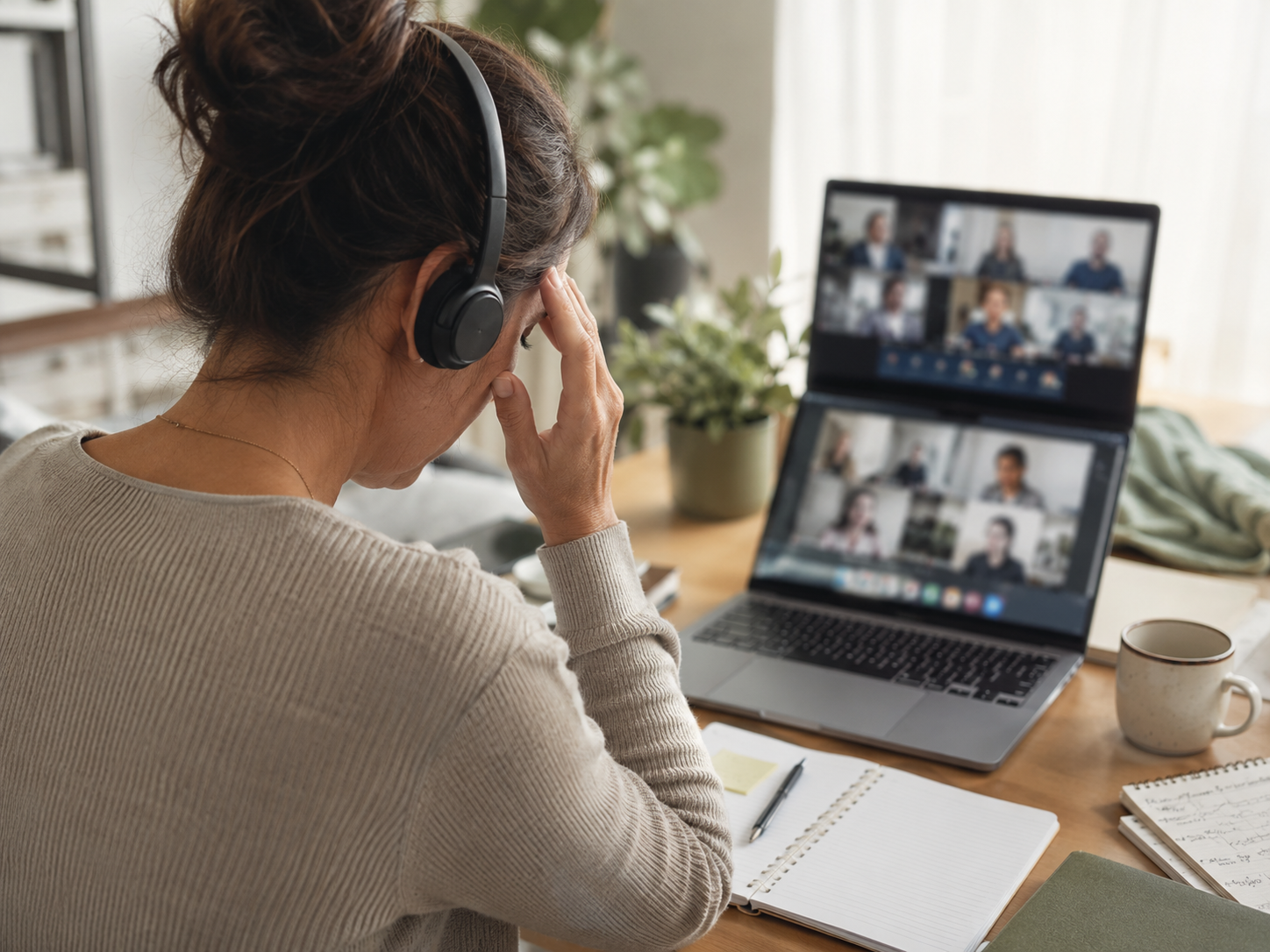
The meeting is not always the whole cost
The meeting slot is only part of the cost. Recovery time matters too. A 30-minute call can easily take 45 minutes of real energy if it leaves you scattered, tense or unclear about the next step. Protecting the day means planning for what happens after the call, not just surviving the call itself.
Why it is hard to work after meetings
Your attention has changed direction
Deep work needs direction. Meetings often point your attention in several directions at once: people, updates, decisions, problems, deadlines and side comments. After the call, your brain may not return neatly to the task you were doing before. It needs a short bridge back into focused work.
Your body has been still
Meetings usually involve sitting, staring and staying socially switched on. After an hour or two of calls, the body can feel stiff while the mind feels oddly tired. That combination makes focused work harder. Movement after a meeting helps because it breaks the physical stillness as well as the mental fog.
Your task list may be messier
A meeting can add actions without giving you time to organise them. Notes, decisions, reminders and vague “we should” comments may all land in your head. If they are not captured quickly, they keep pulling attention. A short post-meeting note helps turn mental clutter into something manageable.
Your brain expects another interruption
After several calls, the workday can feel choppy. Your brain may start expecting another interruption instead of settling into deep work. That makes it tempting to do shallow tasks: checking email, tidying tabs or opening dashboards. The calendar trains attention, so meeting spacing matters.


The real recovery problem
Most people try to jump from a call straight into meaningful work, then blame themselves when focus does not appear instantly. A better approach is to treat meetings like mental gear changes. After a call, you need a small reset, a clear next task and enough space to rebuild momentum.
How to recover your focus after a meeting
Most Relevant Audience
This article is for remote workers, freelancers, managers, creators, coaches, consultants and home workers who lose energy after calls. It is especially useful if meetings leave you tired, scattered or strangely unable to restart the work that actually matters after everyone has waved goodbye.
Capture the next action
Before opening another tab, capture the next action from the meeting. Write the task, owner, deadline or decision in one clear place. This stops the meeting from living in your head for the rest of the day. A messy note is better than a perfect memory that fails at 4:17pm.
Move for two minutes
A short movement reset can help your body and attention change state. Stand up, stretch, refill water, walk around the room or look away from the screen. The goal is not a workout. It is to tell your brain and body that the meeting block has ended and the next part of the day is beginning.
Choose one re-entry task
Do not ask your tired brain to choose from twenty options after a call. Pick one re-entry task before the meeting, or choose it immediately afterwards. Make it specific: edit the intro, reply to one client, check one document. A clear task reduces the digital wandering that usually follows meeting fatigue.
Delay inbox checking
Checking email straight after a meeting can pull you into another attention trap. Unless something is genuinely urgent, reset first and return to planned work. Meeting fatigue often makes the inbox feel easier than deep work, but that does not mean it is the best next move.
Use shorter recovery blocks
A recovery block does not need to be long. Five to ten minutes can be enough after lighter calls. Heavier meetings may need more space. The important thing is that recovery is planned, not accidentally stolen from the next task while you stare at the screen wondering why your brain has left the building.
Make recovery part of the calendar
If your calendar has room for meetings but no room for recovery, the day is already overloaded. Add short buffers where possible. Even a five-minute gap can help you capture actions, move, reset your eyes and return to work with a little less fog. Transitions are not wasted time. They protect the rest of the day.
Meeting boundaries for remote workers
Protect deep work time
Deep work needs protected space, not leftover scraps between calls. Block focus time before the week fills up. Use those blocks for writing, planning, analysis, creative work or decisions that need concentration. If every free gap becomes meeting space, meaningful work gets pushed into tired corners of the day.
Avoid automatic camera use
Camera-on meetings are useful sometimes, but not every call needs your face in a tiny rectangle. If the meeting is routine, internal or low-stakes, audio-only may be enough. Reducing camera time can lower fatigue, especially on days packed with calls. Presence does not always require performance.
Question repeat meetings
Recurring meetings can become calendar furniture: always there, rarely questioned. Review whether each one still needs to happen, who really needs to attend and whether the purpose is clear. A meeting that exists only because it existed last week is not a strategy. It is a habit with an invite link.
Use messages when possible
Some meetings should have been a message. Updates, simple approvals, quick clarifications and non-urgent information can often be handled in writing. Meetings are better for discussion, decisions, nuance and alignment. When everything becomes a call, the calendar starts eating the work it was meant to support.
Related wellness note
Notification Burnout And How To Take Back Your Focus is the natural follow-up here. Meeting fatigue and notification overload often work together: calls drain your attention, then messages finish the job. Reducing unnecessary pings can make post-meeting recovery easier because your focus is not being dragged into another tiny emergency.
Common meeting fatigue mistakes
Scheduling calls with no buffer
No-buffer calendars look efficient but often create scattered afternoons. Without gaps, actions go uncaptured, bodies stay still and focus never resets. Add short transition time where possible. A few minutes between calls can save much more than it costs.
Treating all meetings equally
Not every meeting deserves the same energy. A decision-heavy client call, a casual update and a quick check-in should not all drain your day equally. Adjust your preparation, camera use and recovery time based on the meeting type. Energy management works better when meetings are not treated as identical blocks.
Using breaks for more screen time
A break after a call is less useful if it becomes scrolling, inbox checking or dashboard refreshing. Your brain may want low-effort stimulation, but your body and eyes need a reset. Step away from the screen if possible. Let the break actually interrupt the meeting state.
Ending without a next step
A meeting without a clear next step can keep echoing through the day. Capture actions before moving on. Confirm ownership if needed. Even a simple note like “send draft by Thursday” is better than letting the meeting dissolve into vague mental fog and future confusion.
Related guides to read next
Digital Boundaries For Side Hustlers And Home Workers
Digital Boundaries For Side Hustlers And Home Workers is useful if meetings are only part of the problem. It helps with notifications, apps, messages and “quick tasks” that invade the rest of the day. Better boundaries make focus easier to protect.
Work From Home Boundaries That Actually Stick
Work From Home Boundaries That Actually Stick is the next read if meetings keep bleeding into evenings, lunch breaks or deep work time. It focuses on practical limits that help remote work feel less permanently open.
How To Build A Healthier Work-From-Home Routine
How To Build A Healthier Work-From-Home Routine can help if meeting fatigue is part of a wider pattern: too much sitting, weak breaks, poor shutdown habits and scattered energy. A better routine makes recovery easier before the day fully unravels.
FAQ
What is meeting fatigue?
Meeting fatigue is the tired, scattered or mentally drained feeling that can happen after too many meetings, especially video calls or back-to-back sessions. It can affect focus, energy and motivation long after the meeting ends, making it harder to return to meaningful work.
Why do meetings make me feel so tired?
Meetings can make you feel tired because they require listening, speaking, decision-making, social awareness and screen focus at the same time. Video calls can add camera pressure and fewer natural breaks. Back-to-back meetings make this worse because your brain gets no time to reset.
How do I recover after back-to-back meetings?
Recover after back-to-back meetings by taking a short reset before starting another task. Capture key actions, move for a few minutes, look away from the screen and choose one clear re-entry task. Avoid opening email immediately unless it is genuinely urgent.
How can remote workers reduce meeting fatigue?
Remote workers can reduce meeting fatigue by adding buffers, protecting deep work blocks, questioning recurring meetings and using messages for simple updates. Camera use should also be intentional. Not every call needs to be video, especially on meeting-heavy days.
Why is it hard to focus after video calls?
Focus is harder after video calls because your attention has been split between people, screens, audio, chat, decisions and self-monitoring. The body may also be stiff from sitting still. A short movement and planning reset can help your brain transition back into focused work.
Final verdict
Meeting fatigue drains focus, energy and momentum long after calls end. The real issue is not only the meeting itself. It is what happens to the rest of your day when calls leave you scattered, stiff, overloaded or unsure where to restart.
You do not need to recover your whole life after every meeting. Start with better spacing, fewer unnecessary calls, clearer next steps and small reset breaks. The aim is simple: let meetings support the work, not quietly steal the energy needed to do it.

