



Paper Planner vs Task App: Which…

Sleep Earplugs: Simpler Sleep, Chosen and…

VYVE Health Explained: Can One £16.99…

Too Good To Go M&S Bakery…

Sunrise Alarm Clocks Compared: Are They…

Fitbit Edge vs Fitbit Air vs…

Autumn Comfort Food: How to Eat…

Soup Maker vs Saucepan: Which Suits…

The Best Lighting for Darker Autumn…

Create an Autumn Wind-Down Routine That…

Heated Throw vs Heated Blanket vs…

Autumn Sleep Reset: Light, Temperature and…
Outdoor laptop work sounds peaceful until the screen turns into a mirror, the battery starts dropping, and you spend twenty minutes angling the display like you are negotiating with the sun. Outdoor laptop screens and anti-glare tools can help, but only if the whole setup makes sense. The goal is not to recreate your full office in the garden. It is to make outdoor work readable, comfortable and worth the effort before the sunlight starts winning.
Shade matters before gadgets
Glare makes screens harder to read
Brightness affects battery life
Portable monitors need planning
Screen hoods can help
Polarised sunglasses are mixed
Power and seating matter too

Most Relevant Audience
This guide is for remote workers, home workers, freelancers, bloggers, creators, side hustlers, parents, carers and small business owners who want to work outside occasionally without turning the whole thing into a squinting contest.
It is especially useful if you like the idea of garden work, balcony work, patio admin or outdoor writing sessions, but quickly run into glare, reflections, weak battery life, awkward seating, heat and screen visibility problems.
Why Working Outside Is Harder Than It Looks
Reflections create eye strain
Glare is not only annoying. It can make you squint, lean forward and hold your body awkwardly.
That can turn a calm outdoor session into a neck-and-shoulder problem with better scenery. The screen should be readable without forcing your posture to solve the visibility problem.
Heat affects comfort and devices
Direct sun can make you uncomfortable and can make devices warm.
A laptop working hard in bright sun is not the dream setup. Shade, airflow and session length matter. Sometimes the smartest outdoor productivity move is simply not treating noon sunshine like a manager.
Outdoor seating is often not work seating
Garden chairs are made for relaxing, not always for typing, video calls or careful screen work.
If your chair is too low, too reclined or too wobbly, the screen may be readable but your body may not thank you. Comfort needs to include seating, height and where your arms naturally land.

This guide is about occasional outdoor laptop work: screen visibility, glare control, shade, power and practical comfort. Best Portable Monitors For Home Business should own broader second-screen comparisons, while garden office guides should own permanent outdoor workspace planning. Here, the question is simpler: what makes outdoor laptop work readable enough to be worth doing?
What Makes A Screen Usable Outdoors
Brightness
A brighter screen can help outdoors, especially in indirect light.
But brightness alone does not solve everything. Direct sun, reflections and viewing angle can still make the display difficult. Use brightness as one tool, not the whole plan.
Matte or reduced-glare surfaces
Matte screens and anti-glare protectors may reduce reflections compared with very glossy displays.
They can help in bright settings, but they are not magic. If the sun is directly on the screen, even anti-glare support may struggle.
Session type
Some work is better suited to outdoor screens than other work.
Writing, planning, reading, admin and light editing may work well. Colour-sensitive design, detailed spreadsheets, long video editing or heavy multitasking may be better indoors.
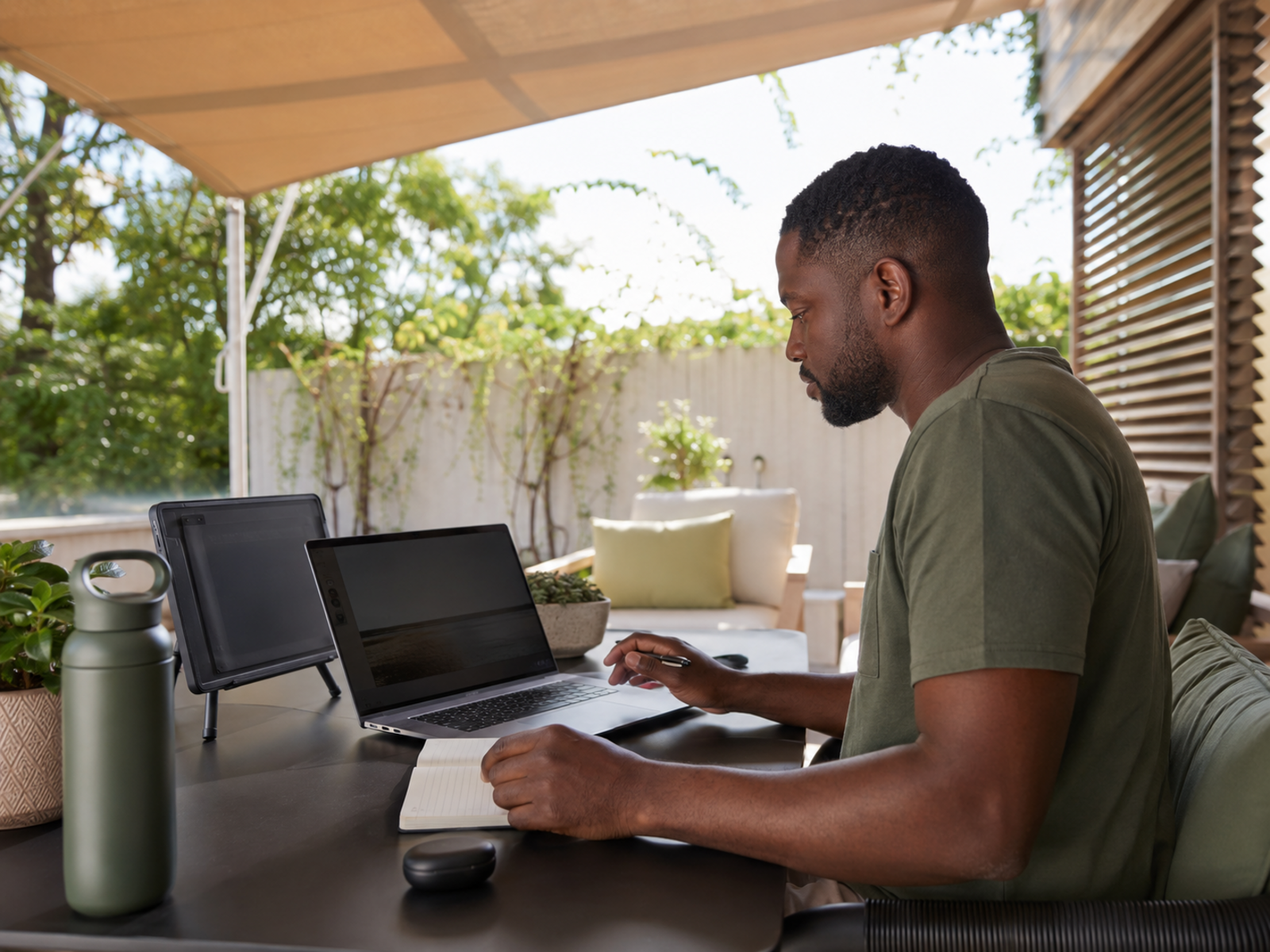
Outdoor Laptop Screens And Anti-Glare Tools
A portable monitor can be useful, but it will not rescue a poor outdoor setup on its own. Start with shade, angle, seating and battery. Then decide whether another screen, hood, power bank or anti-glare accessory actually solves the remaining problem.
Best Setup For Garden Work Sessions
For short email or admin blocks
Use a shaded seat, laptop only, high brightness and a clear time limit.
This works best for quick replies, planning, calendar checks or light admin. Avoid turning a five-minute outdoor reset into an hour of glare, heat and low-battery stress.
For writing or focused work
Choose indirect light, a stable table, comfortable chair and minimal notifications.
Writing can work well outdoors because it often needs fewer windows. Keep the setup simple. If your phone, laptop and second screen are all competing for attention, the garden has become another office with better leaves.
For dual-screen outdoor work
Use a portable monitor only when the space supports it.
You need a stable surface, enough power and a setup that will not wobble in the wind. ASUS ZenScreen-style monitors can help, but outdoor dual-screen work needs more planning than indoor desk work.
For video calls
Be cautious with outdoor video calls.
Check Wi-Fi, lighting, background noise, wind, neighbours, pets and whether the screen is readable. Outdoor calls can feel relaxed, but they can quickly become difficult if glare, sound or connection issues take over.
For longer outdoor sessions
Plan power, shade, water, seating and breaks before you start.
A USB-C power bank, shaded position and comfortable chair can help. Still, long outdoor work is not always better. If the screen is hard to read or the laptop is getting hot, move indoors.

What To Prioritise Before Spending
Shade first
Shade is the cheapest and most important glare-control tool.
Try a wall shadow, umbrella, canopy, tree shade or covered patio before buying accessories. If better positioning solves most of the problem, you may not need a hood or extra monitor.
A readable screen second
If the laptop screen is still hard to see, consider anti-glare support or a better outdoor screen setup.
A portable monitor may help if you need more workspace, but it should be used in controlled light. A brighter second screen still struggles in poor outdoor conditions.
Power third
Outdoor work drains battery faster when brightness is high.
If you work outside regularly, a compatible USB-C power bank can be useful. Check your laptop’s charging requirements carefully. Power should be safe, reliable and matched to the device.
Comfort fourth
Outdoor comfort includes posture, seating, table height, temperature and eye strain.
A garden chair may be lovely for tea and useless for typing. If your shoulders rise, neck leans or wrists hover awkwardly, the setup needs adjusting.
Accessories last
Laptop hoods, screen shades, sunglasses and portable monitors can all help in the right situation.
But they should solve a known problem. Do not buy a pile of outdoor-work accessories before testing where the glare, battery and comfort problems actually come from.

Common Outdoor Laptop Mistakes
Working in direct sun
Direct sun is usually the worst laptop setup.
It creates glare, heat, battery drain and discomfort. Even with accessories, outdoor work is much easier in soft indirect light or under cover.
Assuming a portable monitor fixes glare
A portable monitor gives you more screen space, not automatic outdoor readability.
If the monitor is also catching sunlight, you have created a second mirror. Fix the light and angle first.
Ignoring battery drain
High brightness, video calls, portable monitors and weak Wi-Fi can all drain power faster.
Start with a full charge, plan a short session or use a compatible power bank. Do not let your outdoor work plan depend on heroic battery optimism.
Forgetting Wi-Fi strength
The garden may not have the same connection as your desk.
Test calls, uploads and cloud tools before committing to outdoor work. A peaceful setup is less peaceful when every page loads like it is thinking about retirement.
Sitting awkwardly for too long
Outdoor work can quietly ruin posture if the chair and table are wrong.
If you are hunched, twisted or squinting, the setup is not working. Move, reset or go back indoors before the garden-office fantasy becomes a neck problem.

FAQ
Can you use a laptop comfortably outside?
Yes, you can use a laptop comfortably outside if you control shade, glare, power and seating.
The best setup is usually indirect light, a stable surface, a comfortable chair, high-enough screen brightness and a clear plan for battery life.
What helps reduce laptop screen glare outdoors?
Shade helps most. Try sitting under cover, changing screen angle, using a laptop hood or choosing a matte or reduced-glare surface.
Avoid direct sunlight on the screen where possible. Glare is much harder to manage when the display is facing bright light.
Are portable monitors good for outdoor work?
Portable monitors can be good for outdoor work if you have controlled light, stable seating and enough power.
They are useful for second-screen tasks, but they do not automatically solve glare. Use them as part of a full outdoor setup, not as the only fix.
Do laptop screen shades actually help?
Laptop screen shades can help by blocking light from hitting the display directly.
They work best when your laptop stays in one place and you are already managing the surrounding light. They may feel fiddly if you move around often.
Do polarised sunglasses help with laptop glare?
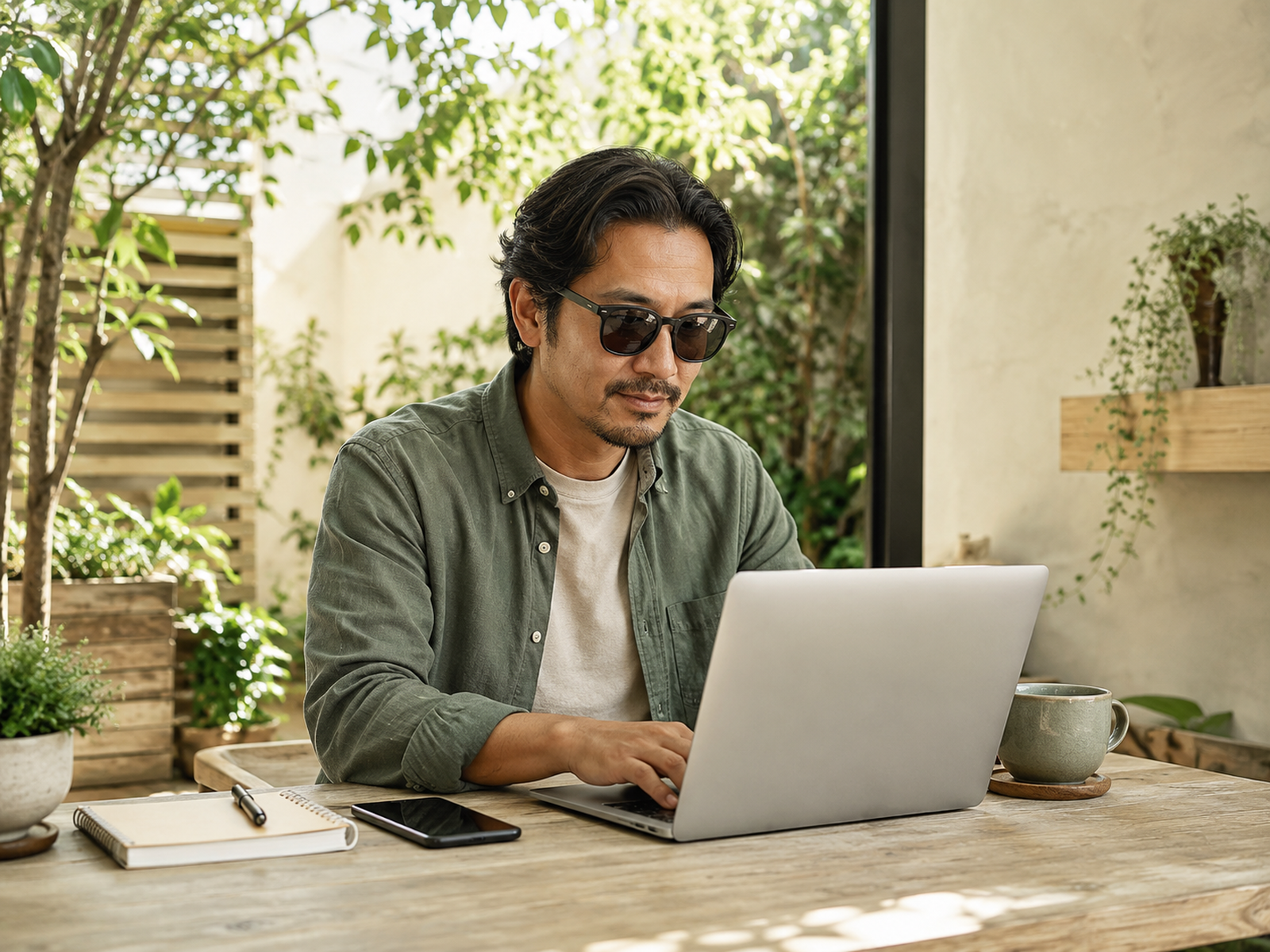
Polarised sunglasses may help with general brightness and outdoor comfort, but they can also affect how some screens look.
They may darken, distort or change visibility depending on the screen and angle. Test them with your laptop before relying on them.
What power setup do I need for outdoor laptop work?
For short sessions, a full laptop battery may be enough.
For longer sessions, consider a compatible USB-C laptop power bank or a safe outdoor power setup. Check charging wattage and device compatibility before buying anything.
Final Verdict
Outdoor laptop work only feels good when screen visibility, shade, power and comfort are sorted first. ASUS ZenScreen portable monitors can help if you need extra screen space. Laptop hoods and screen shades can reduce glare. Polarised sunglasses may help some people, but can affect screen visibility. USB-C power banks can support longer sessions.
Start with the no-tech fixes: shade, angle, seating and session length. The best outdoor setup is not the one with the most gadgets. It is the one that lets you read the screen, stay comfortable and get useful work done before the sun starts managing your day.