Eden Creator Store Explained: Can One…

Redbubble vs Printify: Which Print-on-Demand Platform…

Can Free Affinity Help You Build…

Can Hostinger AI Builder Launch a…

Plug-In Solar Panels UK: Are They…

Meta One Explained: Is the Subscription…

Plaud One Explained: UK Price, Plans…

Namecheap vs Dynadot

Kit (ConvertKit) vs beehiiv: Which Should…

Bluehost vs Siteground

Namecheap review

Cloudways Vs WP Engine
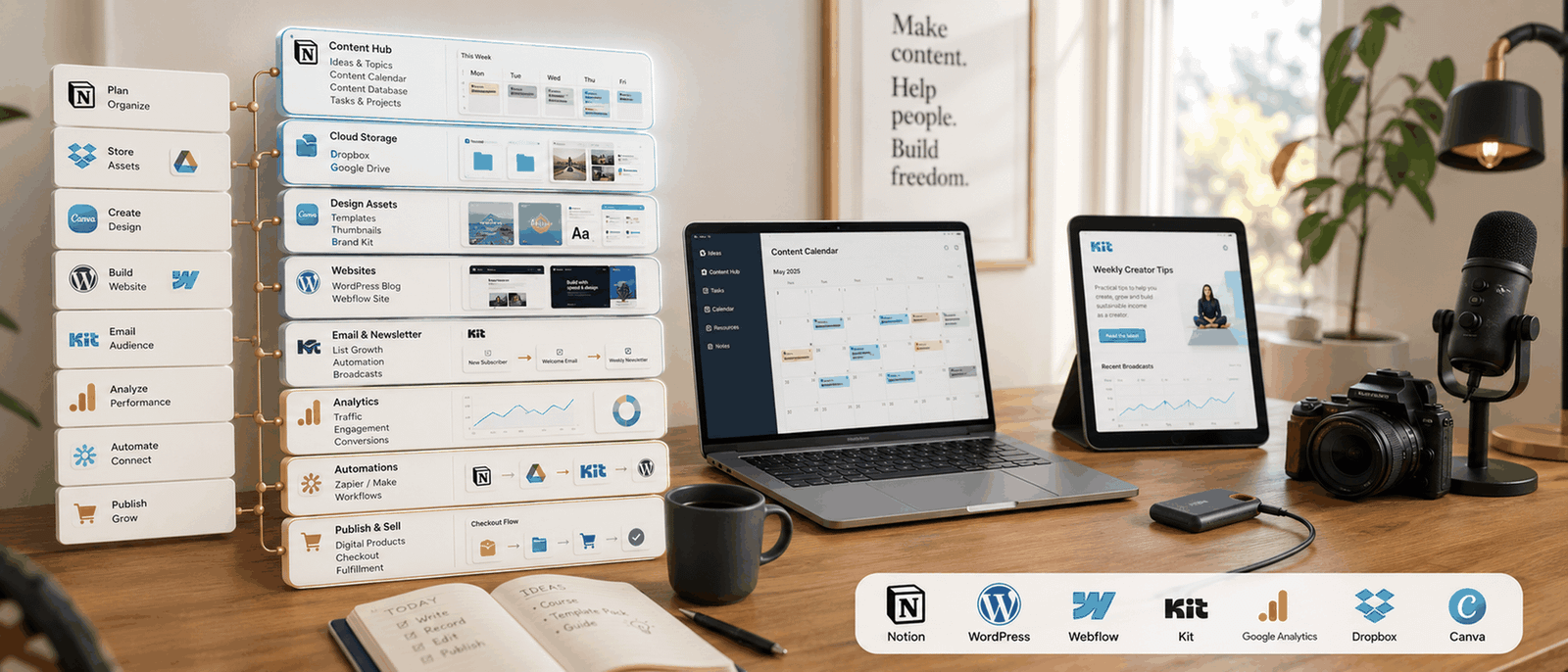
A creator tech stack should make publishing easier, not turn everyday work into a stressful collection of tabs, subscriptions, dashboards, and disconnected apps. Many creators do not struggle because they lack ideas. The real problem is usually operational overload. Writing happens in one place, files live somewhere else, editing takes place inside another tool, and scheduling requires three more logins. Creator tech stack explained properly means building systems that reduce friction so content creation still feels manageable during busy weeks.
Quick Overview
- In this guide you will learn:
- What a creator tech stack actually means.
- Why creators overcomplicate workflows.
- Which tools matter most early on.
- How simpler systems improve consistency.
- Which software genuinely deserves investment.
Why Creator Workflows Become Too Complicated
Too Many Tools Create Hidden Friction
A simple content idea can move through notes apps, writing software, editing platforms, cloud storage, thumbnail tools, analytics dashboards, and scheduling systems before publishing even happens. That process feels manageable once or twice, then slowly becomes exhausting every week.
Subscriptions Often Arrive Too Early
Many beginners buy advanced software before developing consistent publishing habits, stable audience growth, or reliable monetisation. Expensive tools rarely fix weak systems.
Dashboard Switching Breaks Momentum
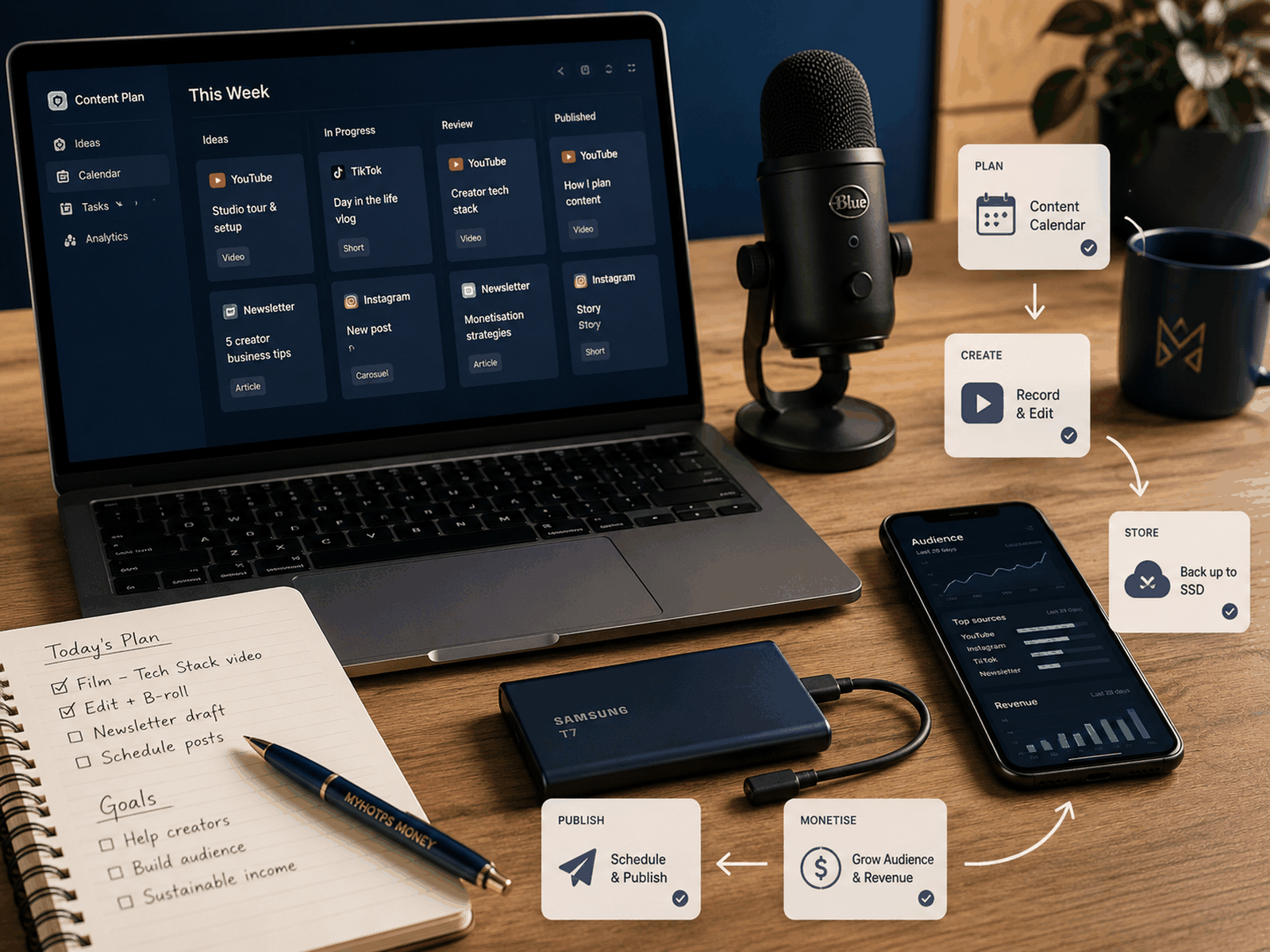
Every extra login creates another decision, notification, update, folder structure, or technical problem. Small interruptions quietly reduce focus across the entire workday.
Simple Systems Improve Consistency
Creators usually publish more consistently when recording, editing, storing, and scheduling feel predictable instead of chaotic. Fewer moving parts reduce operational fatigue.

A Creator Tech Stack Is Really About Sustainability
The strongest creator systems quietly remove repeated frustration. A blogger should find drafts quickly. A YouTuber should know where footage belongs. A course creator should not rebuild onboarding emails every month. Sustainable systems help creators spend more time creating and less time troubleshooting software. Creator tech stack explained clearly is less about collecting tools and more about protecting long-term consistency before operational stress starts draining creative energy.
Core Creator Tech Stack Categories

Content Creation Software
Writing apps, video editors, audio cleanup tools, graphic design platforms, and screen recorders form the production side of most creator businesses. The best software is usually the option that helps creators finish work faster without fighting complicated interfaces.
Email Marketing Platforms
Email platforms help creators maintain direct communication with subscribers instead of depending completely on social algorithms. Even simple newsletters can become valuable long-term business assets.


Storage And Backup Systems
Raw footage, podcast recordings, graphics, screenshots, thumbnails, and course assets accumulate quickly once publishing becomes regular. Weak storage habits eventually create avoidable stress.
Publishing And Scheduling Systems
Publishing tools help creators manage newsletters, blog posts, product launches, podcasts, and social updates without relying on memory alone. Strong systems reduce missed deadlines.


Monetisation Platforms
Checkout systems, course platforms, affiliate dashboards, membership tools, and funnel builders support revenue generation. Complexity should only increase once monetisation genuinely requires it.
Planning And Organisation Tools
Task managers, content calendars, document systems, and idea trackers reduce mental clutter. Better organisation often improves output more than another expensive automation platform.

Many Creators Buy Software Emotionally Instead Of Strategically
A polished productivity video can make complicated creator systems look impressive online. Fancy dashboards, automations, templates, and AI workflows create the feeling that success comes from owning better software. Real progress usually looks much simpler. Strong creator businesses rely on repeatable publishing, organised files, useful emails, reliable storage, and manageable routines. Software deserves investment only when it solves a repeated operational problem instead of temporarily making the creator feel more productive.
Which Creator Tools Matter Most Initially?
Publishing Systems Come First
A repeatable process matters more than advanced software. Simple upload checklists, clean folder structures, and predictable workflows support long-term consistency.
Email Platforms Build Stability
Social media reach changes constantly, although an email list gives creators direct access to people already interested in the content.
Storage Prevents Future Chaos
Good storage systems feel boring until a creator loses important footage, overwrites files, or wastes hours searching for missing project assets.


Analytics Should Stay Practical
Analytics become useful when they answer meaningful questions about audience behaviour, engagement, or conversion performance instead of creating endless dashboard checking habits.
Most Creator Burnout Starts Operationally Before It Starts Creatively
Creators often assume burnout comes from lacking motivation, although operational overload quietly causes much of the pressure first. Constant notifications, scattered workflows, confusing folders, repeated exports, broken integrations, and unnecessary admin tasks slowly drain creative energy. Cleaner systems protect attention. That operational clarity matters because creators still need enough mental space left for writing, filming, editing, teaching, or communicating consistently over long periods.
Example Creator Tech Stacks
Beginner Blogger Stack
A beginner blogger may only need WordPress, Google Docs, Canva, basic analytics, and a lightweight email platform supporting simple subscriber growth.
YouTube Creator Stack
Video creators often depend on editing software, thumbnail systems, audio cleanup tools, storage drives, and repeatable upload workflows.
Course Creator Stack
Course businesses usually combine email automation, student onboarding, checkout pages, webinar tools, support systems, and lesson hosting.


Small Creator Business Stack
Growing creator businesses frequently combine publishing systems, audience management, analytics, payment processing, storage, and product delivery workflows.
Creator Gear And Software Work Together
Weak Gear Creates Editing Friction
Poor audio, unstable footage, weak lighting, and unreliable storage increase editing time dramatically because creators spend extra hours fixing avoidable quality problems.


Slow Devices Hurt Publishing Momentum
Overheating laptops, lagging timelines, slow exports, and limited storage capacity quietly reduce motivation during already demanding workdays.
Reliable Systems Improve Output
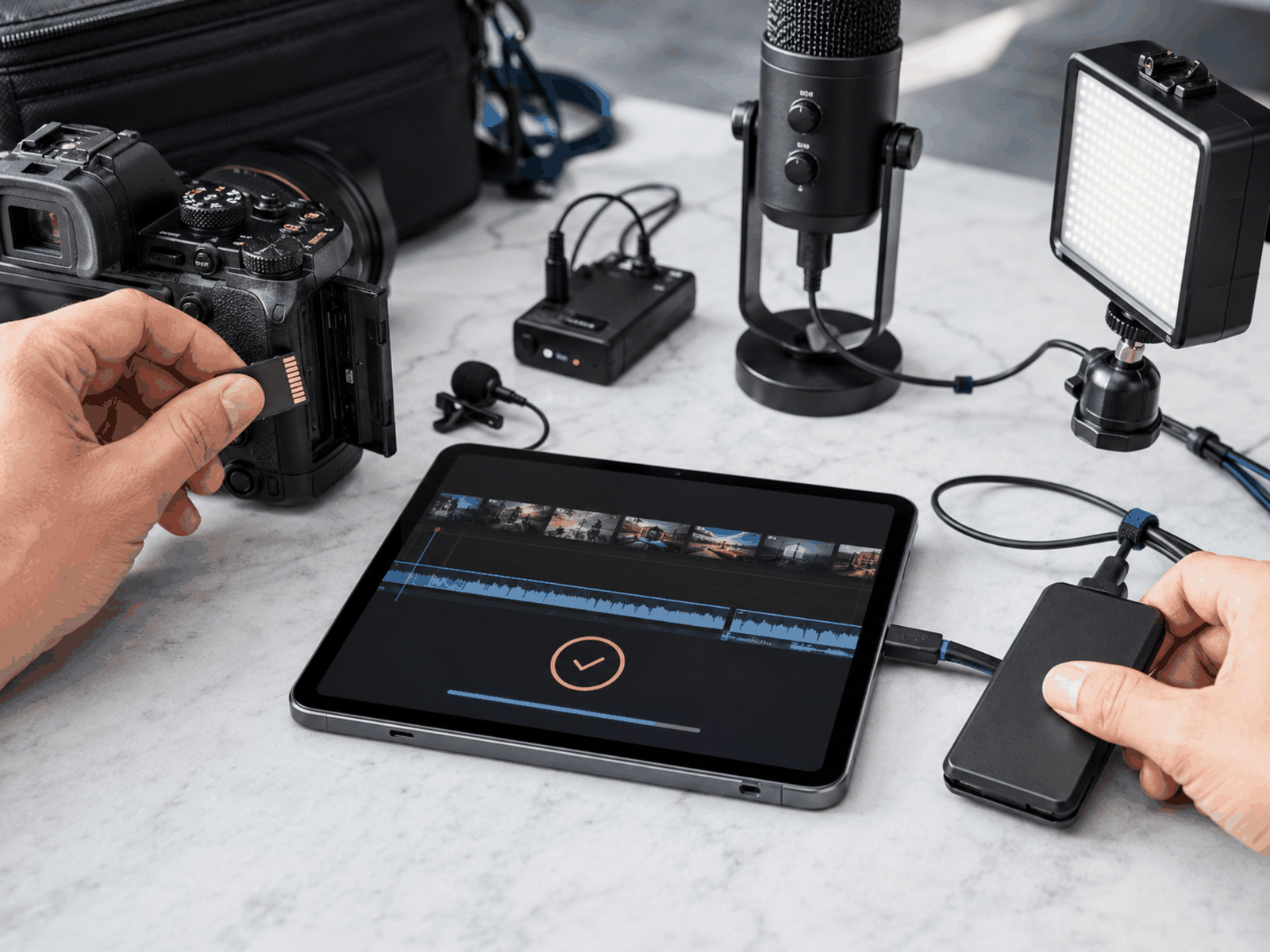
A setup that records quickly, stores files safely, edits smoothly, and exports consistently helps creators maintain better publishing habits.

Expensive Setups Cannot Replace Good Content
Advanced tools still cannot replace useful ideas, strong storytelling, practical teaching, or audience trust.
The Best Creator Tech Stack Usually Feels Boring
Reliable systems rarely look exciting online because they simply work quietly in the background. Drafts stay organised. Templates remain easy finding. Emails send correctly. Storage folders still make sense months later. Creators stop wasting energy remembering where everything lives. That operational reliability creates more room for actual creative work instead of endless software management.
After You Record: Turning Footage Into Clips
Agent Opus And OpusClip
Once your recording tools are working, the next problem is often what to do with the footage. Agent Opus and OpusClip are two tools from the same company aimed at that job. By the makers’ own description, OpusClip turns a long video into short clips, and Agent Opus turns an idea, article link, voiceover or document into a video.
If you already record talking-head videos, tutorials or interviews, a clip tool is a way to reuse one recording across several platforms. It is not a reason to add more software to your stack.
Pros And Cons Of Building A Creator Tech Stack
Pros
- Better organisation improves workflow clarity.
- Simpler systems reduce operational stress.
- Automation removes repetitive admin tasks.
- Audience tools improve communication consistency.
- Cleaner workflows support sustainable publishing.
Cons
- Subscriptions become expensive quickly.
- Too many tools increase overwhelm.
- Complex automations require maintenance.
- Unused software wastes money monthly.
- Disconnected systems create extra friction.
FAQs
What is a creator tech stack?
A creator tech stack is the collection of tools supporting content creation, publishing, organisation, audience growth, and monetisation.
Why do creators become overwhelmed by tools?
Many creators add software before identifying the actual workflow problem needing improvement.
Which tools matter most initially?
Content creation software, storage systems, publishing workflows, email platforms, and basic organisation tools usually matter first.
Do creators need expensive software immediately?
Not usually. Simpler systems often support better consistency before advanced infrastructure becomes necessary.
How should creators choose new tools?
New software should remove repeated friction, save meaningful time, improve organisation, or support clearer monetisation.
Final Verdict
Final Verdict
Creator tech stack explained properly is not really about software collection. It is about operational sustainability. Strong creator systems reduce friction, simplify publishing, protect organisation, improve communication, and help creators maintain consistency without feeling buried under subscriptions and dashboards.
Most creators benefit more from cleaner workflows than larger tool collections. Start with reliable systems supporting content creation, storage, publishing, audience communication, and monetisation. Additional complexity should only appear once the business genuinely needs it. The strongest creator tech stack is usually the one that still feels manageable during stressful, low-energy workdays when motivation alone is no longer enough.