



£3,000 Trading Allowance: What It Means…

Email Deliverability Tools for Bloggers: Free…

Redbubble vs Printify: Which Print-on-Demand Platform…

TikTok Shop Affiliate in the UK:…

How to Spot a Good Black…

Top 10 Best SEO Tools for…

YouTube Shopping Affiliate in the UK:…

Shopify Canvas Explained: Can UK Beginners…

Vinted vs eBay in 2026: Fees,…

Top 10 Best Email Tools for…

Top 10 Website Builders in the…

Top 10 Scheduling and Productivity Tools…
Choose the editor and the workload first, then buy the least expensive machine with enough sustained performance, memory, graphics and storage for that job. This guide gives ten named picks, from a compact Mac mini to Windows creator laptops and a desktop.
It is a research-led shortlist built on current software requirements, exact configurations and UK prices rechecked on 20 Nov 2026, not MyHotips benchmarks. If you mostly write and edit lightly, use the bloggers guide instead.
Quick Overview
- On Windows, Adobe recommends 32GB or more of RAM for 4K and 8GB of GPU memory.
- On Apple silicon, Adobe and Apple both list 16GB of unified memory as recommended.
- The Mac mini M6 starts at £899 and the M5 Pro at £1,699.
- Mac Studio M5 Max starts at £2,499; the 14-inch MacBook Pro M6 starts at £1,999.
- Windows picks: ASUS ProArt P16, Lenovo Yoga Pro 9i and a Dell Tower Plus desktop.

Comparison Table: The 10 Best Computers for Content Creators
UK starting prices rechecked on 20 November 2026. The exact memory, storage and graphics change the price, so check the configuration before you buy.
| # | Computer | Best for | UK price from |
|---|---|---|---|
| 1 | Apple Mac mini M6 | Compact Mac for lighter editing | £899 |
| 2 | Apple Mac mini M5 Pro | Serious Mac editing on a budget | £1,699 |
| 3 | Apple Mac Studio M5 Max | Professional Mac desktop | £2,499 |
| 4 | Apple MacBook Air M5 | Lightweight creator laptop | £1,299 (13-inch) |
| 5 | Apple MacBook Pro 14-inch M6 | Portable Mac step-up | £1,999 |
| 6 | Apple MacBook Pro 16-inch M5 Pro | Large-screen Mac laptop | £2,999 |
| 7 | ASUS ProArt P16 | Windows creator laptop | Varies by variant; the RTX 5070, 32GB, 1TB model is end of life at Scan |
| 8 | Lenovo Yoga Pro 9i | Windows OLED alternative | Varies by configuration; check Lenovo UK |
| 9 | Dell Tower Plus Desktop | Mainstream Windows creator tower | £2,933.11 (RTX 5070, 32GB, 1TB) |
| 10 | HP Laptop 14 (Intel Core 7) | Budget 1080p editing | £599, RRP £899 |
Creator computer specs at a glance
What each workload needs
A software requirement only says the application can run. It does not tell you how long exports take or whether the machine slows in a long render. So treat the table as MyHotips practical target ranges based on current software requirements and workload intensity, not as a law.
| Workload | Memory target | GPU target | Storage | Machine type |
|---|---|---|---|---|
| Social and 1080p | 16GB | Integrated or entry GPU can work | 512GB or more | Light laptop |
| Regular 4K on Windows | 32GB | 8GB or more of VRAM | 1TB plus a media drive | Creator laptop or desktop |
| Regular 4K on Mac | 16GB or more of unified memory, more for heavier work | Apple silicon | 1TB preferred | Mac mini or MacBook Pro |
| Heavy multicam and effects | 32 to 64GB or more | Strong dedicated GPU or a higher Mac tier | 1 to 2TB plus a fast external drive | Pro laptop or desktop |
| Fusion, motion graphics, 6K and up | 64GB is often sensible | High VRAM and strong cooling | Fast multi-drive setup | Workstation |
Pick by need
| Creator need | Best type to start with |
|---|---|
| 1080p and social video | A 16GB modern laptop |
| Light 4K on Mac | A MacBook Air or Mac mini M6 |
| Serious compact Mac desktop | Mac mini M5 Pro |
| Heavy Mac desktop work | Mac Studio M5 Max |
| Portable Mac pro work | MacBook Pro 14-inch M6 or 16-inch M5 Pro |
| Windows creator laptop | ASUS ProArt P16 or Lenovo Yoga Pro 9i |
| Windows 4K desktop | A 32GB system with an RTX 5070-class GPU |
| Mainly writing and blogging | Use the bloggers computer guide |
How these picks were chosen
Memory guidance, corrected
Adobe lists 8GB of RAM as the Premiere minimum and recommends 16GB for HD. For 4K and higher, Adobe's Windows recommendation is 32GB or more, with 8GB of GPU memory. On Apple silicon, Adobe and Apple list 16GB of unified memory as recommended, with 8GB as the Final Cut Pro minimum. So 32GB for 4K is a Windows rule, not a universal one.

VRAM is not unified memory
VRAM matters more with high-resolution timelines, GPU effects, denoise, colour work and AI features. Do not compare 8GB of VRAM on an RTX card with 8GB of unified memory on a Mac as if they were the same number. The architectures differ.
Resolve requirements
Summaries of Blackmagic's requirements, such as one from iFilmThings, say Windows needs 16GB of RAM, or 32GB with Fusion, and a GPU with 4GB of VRAM. That is a secondary source, so confirm the figures on Blackmagic's own site.
Mac desktops: Mac mini and Mac Studio
1. Apple Mac mini M6: best compact Mac for lighter editing
Apple UK lists the Mac mini with M6 from £899, rechecked on 20 Nov 2026. It starts with 16GB of unified memory, a 12-core CPU and 12-core GPU, Wi-Fi 7 and 2.5Gb Ethernet. That meets Apple's and Adobe's recommended memory on Mac for HD and lighter 4K work at one desk. The caveat is that you supply the screen, keyboard and mouse. The previous Mac mini M4, launched from £599 in 2024, is only worth buying if remaining stock is genuinely discounted.
2. Apple Mac mini M5 Pro: best compact value for serious Mac editing
The Mac mini with M5 Pro starts at £1,699 at Apple UK, rechecked on 20 Nov 2026. It sits in a useful middle tier between the MacBook Air, MacBook Pro and Mac Studio. For a desk-based creator who already owns a monitor, keyboard and mouse, it may be the best value in this guide for heavier editing without Mac Studio money. The caveat is that those peripherals cost extra if you do not own them, so price the exact memory and storage you need in Apple's configurator before you pay.
3. Apple Mac Studio M5 Max: best professional Mac desktop
Apple refreshed Mac Studio in 2026. The M5 Max model starts at £2,499 at Apple UK, rechecked on 20 Nov 2026, with 36GB of unified memory and 512GB of storage. Apple positions it for demanding video, graphics and AI workflows. Choose it for 4K and 6K work and heavier effects at one desk. The M5 Ultra, from £5,499, belongs to specialist production workloads. The caveat is that you add a monitor, keyboard and mouse, and 512GB is small for frequent 4K, where 2TB or more is advised.
Mac laptops: MacBook Air and MacBook Pro
4. Apple MacBook Air M5: best lightweight creator laptop
Apple UK lists the 13-inch MacBook Air M5 from £1,299 and the 15-inch from £1,499, rechecked on 20 Nov 2026, both with 16GB and 512GB at the start. In the UK the power adapter is sold separately. It suits social video, talking-head edits, 1080p, lighter 4K, photo work and travel. The caveat is that the Air is fanless, so it is not the first choice for repeated long renders, sustained heavy effects or large multicam projects. The useful question is how heavy and sustained your workflow is.
5. Apple MacBook Pro 14-inch M6: best portable Mac step-up
Apple launched the 14-inch MacBook Pro with M6 in October 2026, starting at £1,999 at Apple UK, rechecked on 20 Nov 2026, with 16GB of unified memory standard (configurable to 32GB). It suits portable creators who edit 4K and want more headroom and cooling than the Air without buying a 16-inch Pro. The caveat is price: it starts £700 above the 13-inch Air, and 16GB is the recommended level on Apple silicon, so only pay for more memory if your workflow needs it.
6. Apple MacBook Pro 16-inch M5 Pro: best large-screen Mac laptop
The 16-inch MacBook Pro uses M5 Pro or M5 Max, not the base M6 chip. Apple UK lists the 16-inch from £2,999, rechecked on 20 Nov 2026. It suits longer sessions, a larger timeline workspace and heavier portable editing. Choose M5 Max only if your workflow needs the extra GPU and memory capability. Apple also launched a MacBook Pro with a touchscreen PROLED XDR display on 28 October 2026, from £2,899 for the 14-inch and £3,399 for the 16-inch with M5 Pro, with the same chips as the standard models, so pay the extra only if you want touch and the lighter OLED design. The caveat is cost: the standard 16-inch starts £1,000 above the 14-inch M6.
Windows picks: laptops, a tower and a budget PC
7. ASUS ProArt P16: best purpose-built Windows creator laptop
The ProArt P16 range has a creator-focused OLED display, an SD card reader, HDMI, USB-C and USB-A, and Wi-Fi 7, with RTX 5060 to RTX 5090 versions listed in the UK. The version with an AMD Ryzen AI 9 HX 370, RTX 5070, 32GB and 1TB (H7606WP-RJ089W) was marked end of life and no longer available to buy at Scan on 20 Nov 2026, so we give no price for it. A newer ProArt P16 with NVIDIA's RTX Spark chip and up to 128GB of unified memory is listed from £3,899.99. It is the most direct answer to a Windows creator laptop with 32GB, because it comes with the ports and screen creators use. The caveat is that stock and prices vary by variant, so check the exact GPU, memory and availability before you buy.
8. Lenovo Yoga Pro 9i: best Windows OLED alternative
Current Lenovo Yoga Pro 9i creator configurations offer 32GB or 64GB of memory, RTX 50-series GPUs up to an RTX 5070, a high-resolution OLED screen and an SD reader. The 2026 Aura Edition (Gen 11) moved to Intel's Panther Lake chips. An OLED screen helps with colour work, and the SD reader saves adapters if you shoot to cards. That fits Adobe's Windows recommendation of 32GB or more for 4K. The caveat is that the UK RTX 5070 listings we could find on 20 Nov 2026 came with 64GB, and we found no current UK price for a 32GB RTX 5070 version, so price the exact configuration on the day.
9. Dell Tower Plus Desktop: best mainstream Windows creator tower
A creator does not need the word Creator on the box. A gaming-class desktop can be an excellent Premiere or Resolve machine if the GPU has the right VRAM, the memory and storage are sufficient and the cooling is good. Dell UK listed the Tower Plus with an Intel Core Ultra 7 265, 32GB of DDR5, a 1TB SSD and an RTX 5070 at £2,933.11 on 20 Nov 2026, after offers had brought it to about £2,169 the day before. Its 16GB RTX 5060 version was £2,248.26, but 16GB is below Adobe's 32GB recommendation for 4K on Windows. The caveat is that you add a monitor, keyboard and mouse, and Dell's offers swing by hundreds of pounds from day to day, so compare the same specification before you buy.
10. HP Laptop 14 (Intel Core 7): budget 1080p Windows PC
For HD and social video, aim for 16GB of RAM, which is Adobe's HD recommendation, and a fast SSD. HP UK lists the 14-inch HP Laptop with Intel Core 7 150U, 16GB and a 512GB SSD (model 14-ep1014nax) at £599 including VAT, against an RRP of £899, checked on 20 Nov 2026. It uses integrated graphics, so it is a starting point for light 1080p edits, not a heavy-effects machine. The caveat is that long 4K exports will be slow.
Storage, displays, ports and cooling
Storage and media drives
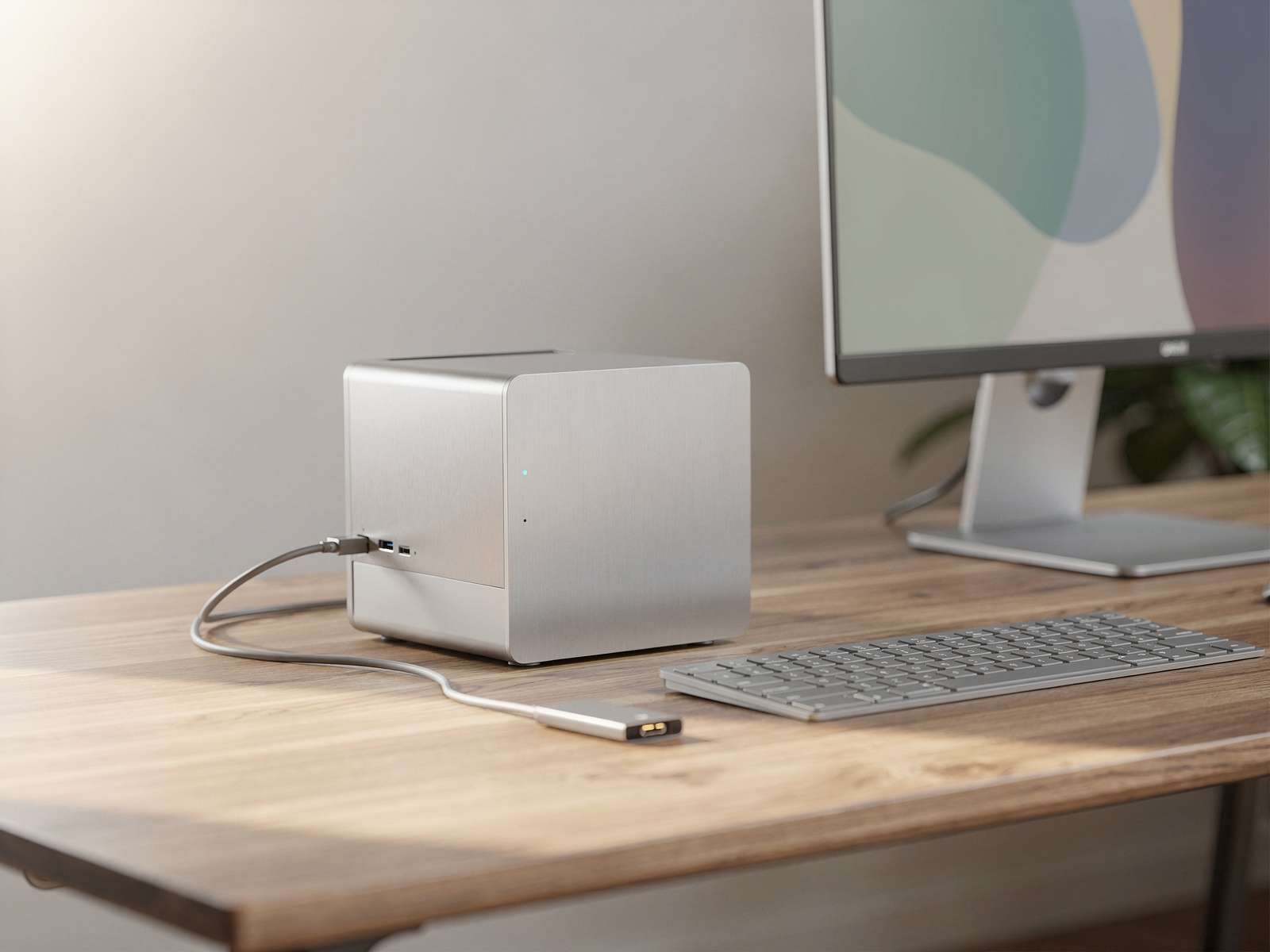
Storage is often a video creator's first bottleneck. Adobe recommends a fast internal SSD for the app and cache plus additional high-speed storage for media. Treat 512GB as comfortable only if most media lives externally, 1TB as the better baseline, and 2TB or more for frequent 4K. Plan backup as well as capacity.
Sustained cooling
A computer can benchmark well briefly and then slow in a long export, render or transcode. This matters most for the fanless MacBook Air, thin Windows laptops and high-power RTX laptops. Check independent long-render results where they exist, rather than relying on peak scores.

Display and ports
Compare resolution, colour gamut, brightness, HDR and reflectivity. Then check the ports your workflow uses: SD card reader, HDMI, Thunderbolt or USB4, USB-A, external display support and Ethernet. A machine that needs three adapters can be less convenient than a slightly slower one with the right ports.
Laptop or desktop, and AI labels
Choose a desktop if most editing happens at one desk and sustained cooling matters. Choose a laptop if you travel. Add the total cost: monitor, keyboard and mouse for a desktop; dock, display and external SSD for a laptop, and a charger, because UK MacBooks and many Windows laptops now ship without one. Memory and storage pricing has been volatile in 2026, so compare exact current configurations. Do not pay extra for an AI PC label.
Black Friday: three checks

Retailers are already running offers
UK retailers were already using Black Friday labels in November 2026, with the main sale day on 27 November. Before you pay, check the exact model number, the exact RAM, storage and GPU, and the recent UK price history for that model. For the full test, use the dedicated guide.
FAQ
What computer is best for content creation in 2026?
It depends on your editor and workload. A Mac mini M6 or MacBook Air M5 covers light 4K on Mac, the Mac mini M5 Pro or MacBook Pro covers heavier work, and a 32GB Windows machine with an RTX 5070-class GPU, such as an ASUS ProArt P16 or Dell Tower Plus, covers 4K on Windows.
How much RAM do I need for 4K video editing, and does a Mac need 32GB?
Adobe recommends 32GB or more for 4K on Windows. On Apple silicon, Adobe lists 16GB of unified memory as recommended, and Final Cut Pro also recommends 16GB. Heavy effects, multicam and long timelines can justify more.
Is 16GB enough for Final Cut Pro or Premiere on a Mac?
Apple lists 16GB as recommended for Final Cut Pro and Adobe lists 16GB for Premiere on Apple silicon, so it is a sensible starting point. Move up for heavy effects or long multicam projects.
How much VRAM do I need for 4K in Premiere?
Adobe's Windows recommendation is 8GB of GPU memory. Apple silicon uses unified memory, so do not compare VRAM and unified memory number for number.
Mac mini M6 or M5 Pro, and Mac mini or Mac Studio?
The M6 from £899 suits lighter editing. The M5 Pro from £1,699 suits serious editing at a lower price than Mac Studio. Mac Studio M5 Max from £2,499 suits demanding 4K and 6K work and heavier effects.
Is MacBook Air M5 good enough for 4K editing?
It can edit 4K. The question is how heavy and sustained your workflow is, because the Air is fanless and may slow in repeated long renders.
Gaming PC or creator PC for video editing?
The label matters less than the GPU VRAM, memory, storage, cooling and ports. A gaming-class tower with 32GB and an RTX 5070 can be an excellent editing machine.
How much storage does a video editor need?
1TB is a better baseline for regular video work; 512GB only works if media lives on external drives. Choose 2TB or more for frequent 4K.
Do I need an SD card reader, an OLED screen, or an AI PC?
An SD card reader saves adapters if you shoot to cards. An OLED screen helps with colour work. An AI PC label alone is not a reason to spend more.
What is the best creator computer under £1,500 or around £2,000?
Under £1,500, the Mac mini M6 or MacBook Air M5 13-inch (£1,299) suit lighter work. Around £2,000, look at the 14-inch MacBook Pro M6 at £1,999. On Windows with 32GB and an RTX 5070, current UK prices vary widely by model and stock, so price the exact ASUS, Lenovo or Dell configuration on the day. Confirm every price live.
Verdict
Pick the editor and workload first, then the least expensive machine with enough sustained performance, memory, graphics and storage. A Mac mini M6 or MacBook Air fits lighter work, the Mac mini M5 Pro and MacBook Pro fit serious editing, Mac Studio fits demanding desks, and the ASUS ProArt P16, Lenovo Yoga Pro 9i or the Dell Tower Plus with an RTX 5070 fit Windows. The biggest reservation is that prices move fast around Black Friday, and nothing here is MyHotips benchmark data. Next step: shortlist your workload tier, confirm the exact configuration and check price history before buying.