



Host a Virtual Halloween Party: Audio,…

20 Minimalist Halloween Nail Ideas for…

Can Free Affinity Help You Build…

12 Lower-Sugar Halloween Treat Swaps Worth…

Can Hostinger AI Builder Launch a…

A 5-Step Screen-Free Autumn Reading Ritual…

Plug-In Solar Panels UK: Are They…

15 Last-Minute Zoom Halloween Costumes for…

Meta One Explained: Is the Subscription…

10 Low-Fuss Dog Halloween Ideas: Comfort…

Plaud One Explained: Can AI Earbuds…

9 Gothic Dinner Table Ideas for…

Namecheap vs Dynadot

7 UK Ghost Tours and How…

Convertkit Vs Beehiiv

Do You Really Need a £420…

Bluehost vs Siteground

15 Gentle Spooky Autumn Books to…

Namecheap review

How to Remove Halloween Face Paint…
Most people end the workday by closing the laptop and hoping their brain gets the memo. It often does not. Your shoulders are still tight, tabs are still open, the inbox is still whispering and tomorrow’s tasks are already forming a queue in your head like they paid for priority boarding. An end-of-day reset for desk workers gives work a proper finish line, so your body leaves the chair and your mind leaves the workday.
Desk work needs a clear ending.
Closing the laptop is not enough.
Stiff bodies need movement.
Open tabs create mental clutter.
Tomorrow’s tasks need capturing.
Evening rest needs protection.
Small reset habits work best.

Most Relevant Audience
This article is for remote workers, home workers, freelancers, creators, bloggers and desk-based business owners who finish work stiff, scattered or still mentally attached to the laptop. It is especially useful if you close work but keep thinking about messages, unfinished tasks, tabs or tomorrow’s pressure.
The best end-of-day reset for desk workers
Why desk workers struggle to switch off
Desk workers struggle to switch off because the workday often ends mentally later than it ends on the calendar. You may stop typing, but your body is still stiff, your thoughts are still active and unfinished tasks keep circling. Remote workers feel this even more because there is no commute to mark the shift from work mode to home mode.
The problem with just closing the laptop
Closing the laptop is useful, but it does not clear mental clutter by itself. If your tabs, messages, notes and tomorrow’s tasks are still unresolved, the workday stays half-open in your head. A better reset gives your body, workspace and brain a short transition instead of expecting one lid-click to do all the emotional labour.
Your body needs a signal
Desk work leaves the body in a held position: seated, focused, slightly tense and often hunched toward a screen. A physical reset helps tell your body the desk session has ended. That might mean standing, stretching, walking, rolling your shoulders or stepping away from the work surface. The signal matters more than the drama.
Your brain needs a stopping point
The brain struggles to rest when it is still tracking loose tasks. Before ending the day, write tomorrow’s first task, capture unfinished actions and remove vague reminders from your head. This does not mean planning the whole week. It means giving your brain enough certainty that it does not keep rehearsing work during dinner.
Your workspace needs closing
A messy workspace can make tomorrow feel stressful before it starts. Clear the mug, close the notebook, tidy the obvious cables and put work items back where they belong. The goal is not a showroom desk. It is a workspace that stops looking like the day gave up halfway through.

The reset does not need to be big
An end-of-day reset works best when it is small enough to repeat. You do not need a perfect evening routine, scented candles or a dramatic “wellness era” announcement. You need a clear stop point, fewer open loops and a body that does not carry the desk into dinner.
What should the reset include?
A physical reset
Start with the body. Stand up, stretch your chest, move your hips, walk around the room or go outside briefly if possible. Desk workers often finish the day mentally tired but physically under-moved. A short reset helps release the held posture of the workday before it follows you into the sofa like an uninvited colleague.
A digital shutdown
Close unnecessary tabs, save useful links and shut down apps you no longer need. If something matters tomorrow, write the next action instead of leaving it open as a vague browser reminder. A digital shutdown reduces the feeling that work is still waiting behind the screen, breathing quietly through notifications.
A tomorrow note
Write a short note for tomorrow. Keep it simple: the first task, any important deadline and one thing you must not forget. This helps you stop mentally carrying the day forward. A good tomorrow note is not a full strategy document. It is a handover from today’s tired brain to tomorrow’s slightly fresher one.
A visible finish line
Create one consistent action that means work is done. Close the laptop, clear the desk, turn off the lamp, put the notebook away or leave the room. A finish line helps because home work can otherwise fade into evening without a clean edge. The clearer the ending, the easier it is to switch modes.
Why the finish line matters
Remote and desk-based work often lacks a natural ending. The work tools stay nearby, the phone keeps buzzing and the desk remains visible. A small finish line gives your brain a boundary it can understand. Work may continue tomorrow, but it does not need to sit beside you all evening.
A simple end-of-day reset routine
Step 1: Move for three minutes
Begin with movement. Stand up, stretch your shoulders, move your neck gently, walk to another room or refill water. After hours of sitting, your body needs a transition that is not just moving from desk chair to sofa. Keep it simple enough that you will actually do it.
Step 2: Capture loose tasks
Write down anything still floating in your head. Include follow-ups, unfinished work, reminders, appointments and tomorrow’s first task. Getting tasks out of your head reduces the evening replay loop. You are not trying to solve everything. You are stopping your brain from acting as a nervous storage cupboard.
Step 3: Close digital loops
Review open tabs, documents and messages. Save what matters, close what does not and write next actions for anything unfinished. Do not leave your browser to hold tomorrow’s plan. Open tabs are poor project managers. They just sit there looking important and quietly increasing tension.
Step 4: Reset the desk
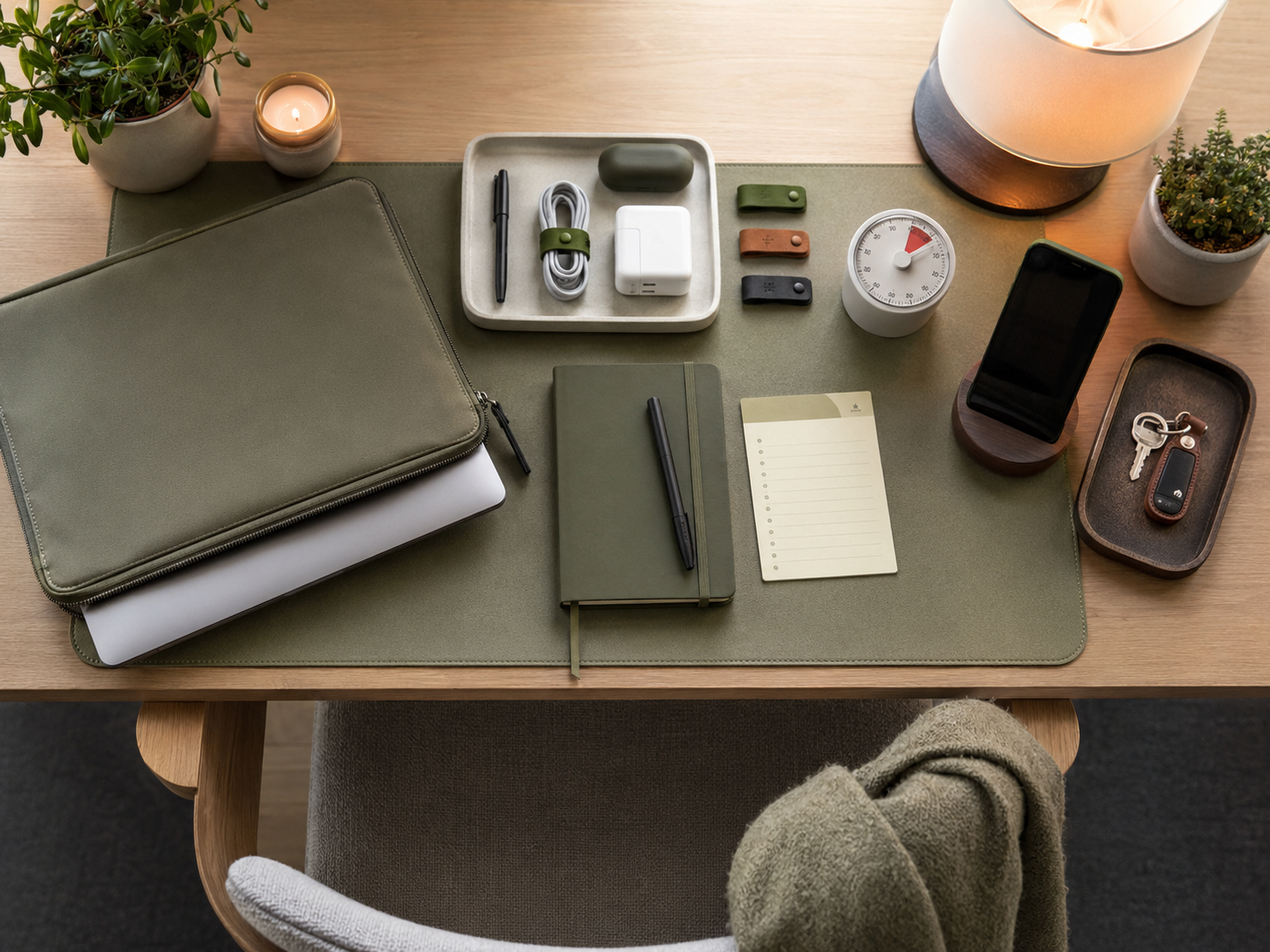
Clear the work surface enough that tomorrow does not begin with yesterday’s mess. Put away papers, return devices, tidy cables and remove cups or plates. The point is not perfection. A small desk reset gives tomorrow a softer start and stops the workspace feeling permanently mid-task.
Step 5: Protect the first hour after work
Try to keep the first hour after work away from more admin if possible. Do something that changes the state of the day: walk, cook, stretch, talk, shower, read or sit without opening another dashboard. The transition matters because work stress often survives through habit, not necessity.

Make the reset easy to repeat
The best reset is the one you can do even when you are tired. Three minutes of movement, one short tomorrow note, a quick digital shutdown and a cleared surface are enough to start. Build from there if you want, but do not make the routine so impressive that you avoid it.
Common end-of-day reset mistakes
Leaving tabs as reminders
Leaving tabs open as reminders feels convenient, but it keeps work visually unfinished. A tab does not explain what you need to do next. Save the link, write the action and close the page. Your evening should not be supervised by a row of tiny unfinished obligations.
Skipping the body reset
Desk workers often focus on mental shutdown and forget the body. If your shoulders, hips and back are still tense, the day may not feel over. A short stretch or walk helps separate desk mode from evening mode. Your body deserves a closing routine too, not just your inbox.
Planning too much
Planning tomorrow is useful. Rebuilding your entire life at 6pm is not. Keep the end-of-day note short. Choose tomorrow’s first task and capture the important loose ends. If you turn the reset into a giant planning session, it may create more mental noise instead of less.
Checking messages after shutdown
Checking messages after your reset reopens the workday. Sometimes it is unavoidable, but if it becomes normal, the boundary weakens. Try to decide when work messages are truly done for the day. Rest is much harder when the inbox keeps sneaking back into the room with a small excuse.

Related money note
Better tools can reduce repeated admin, improve task capture and make shutdown easier. The goal is not to buy more gadgets. It is to stop avoidable digital friction from following you into the evening.
Related guides to read next
Sitting Too Long
Sitting Too Long is the next read if your biggest end-of-day problem is physical stiffness. It explains how long sitting affects posture, energy, hips, shoulders and focus, then shows how small movement breaks can fit a realistic desk-based workday.
Digital Clutter And Mental Load When Working From Home
Digital Clutter And Mental Load When Working From Home is useful if open tabs, messy folders, notifications and unfinished digital tasks make it hard to switch off. A calmer digital workspace makes the end-of-day reset easier to keep.
Work From Home Boundaries That Actually Stick
Work From Home Boundaries That Actually Stick helps if your workday keeps leaking into dinner, evenings or rest spaces. A reset works better when the wider boundary is clear enough to protect the time after it.
How To Build A Healthier Work-From-Home Routine
How To Build A Healthier Work-From-Home Routine is the broader follow-up if your end-of-day reset needs support from better movement, screen breaks, hydration, planning and shutdown habits throughout the day.
FAQ
What is an end-of-day reset?
An end-of-day reset is a short routine that helps you close work properly. It can include movement, clearing your desk, closing digital tabs, writing tomorrow’s first task and setting a clear finish line. The aim is to help your body and mind leave work behind.
How can desk workers switch off after work?
Desk workers can switch off by creating a clear shutdown routine. Move for a few minutes, capture loose tasks, close unnecessary tabs and tidy the workspace. A consistent finish signal, such as closing the laptop and clearing the desk, helps the brain understand that work has ended.
Why do I still feel tense after closing my laptop?
You may still feel tense because your body has been still for hours and your mind is carrying unfinished work. Closing the laptop does not automatically release tight shoulders, open loops or tomorrow’s worries. A physical reset and short planning note can help reduce that lingering tension.
What should remote workers do at the end of the day?
Remote workers should create a small finish line: save work, close tabs, write tomorrow’s first task, clear the desk and move away from the screen. This helps replace the missing commute and gives the day a proper ending, even when work and home share the same space.
How can I stop thinking about work in the evening?
Write down unfinished tasks before ending the day, especially tomorrow’s first step. Close digital loops and avoid checking messages after shutdown where possible. Your brain is more likely to let go when it trusts that important tasks have been captured somewhere reliable.
Final verdict
An end-of-day reset for desk workers helps work end properly instead of lingering in your shoulders, browser tabs and half-finished thoughts. Closing the laptop is a start, but most people also need movement, a digital shutdown, a short tomorrow note and a clear finish line.
You do not need a perfect evening routine. Begin with a few repeatable actions: move for three minutes, capture loose tasks, close tabs and reset the desk. The aim is simple: leave work behind properly, so your body and mind can join the rest of your life.


