Vinted vs eBay in 2026: Fees,…

Tailwind SmartPin and Pinterest Traffic: What…

Make Review: Can It Take the…

MoneyHQ Review: Can It Make Comparing…

AI Receptionists for UK Small Businesses:…

TikTok Shop Affiliate in the UK:…

Eden Creator Store Explained: Can One…

Domain vs Web Hosting: What Is…

Redbubble vs Printify: Which Print-on-Demand Platform…

Can Free Affinity Help You Build…

Can Hostinger AI Builder Launch a…

Plug-In Solar Panels UK: Are They…
New subscribers often disappear before the relationship properly begins. Someone downloads a free guide, joins a newsletter, or signs up through a landing page, then receives little useful follow-up afterward. A few days later, they barely remember subscribing. Usually, the problem is not laziness. Daily work, customer support, editing, admin tasks, and normal life quietly interrupt consistent communication. That is exactly where a simple email funnel with GetResponse becomes valuable because the platform keeps follow-up running automatically without creating unnecessary maintenance pressure.
Quick Overview
In this guide you will learn:

Automated subscriber workflow supporting audience engagement and email marketing.
Helpful next reads: GetResponse review
Why Email Funnels Quietly Stop Performing
New Subscribers Often Receive Weak Follow-Up
A business may collect email addresses successfully, then struggle maintaining communication consistently once daily responsibilities start piling together. The subscriber downloads the free resource, closes the browser tab, and mentally moves on before any relationship forms.

Aggressive Sales Sequences Push Readers Away
Subscribers lose interest quickly when every message immediately pushes products before building familiarity or trust. Helpful communication usually creates stronger long-term engagement than nonstop promotional pressure.

Overcomplicated Automation Creates Extra Work
Some businesses build giant funnel systems packed with endless tags, branching paths, conditions, and triggers. The setup looks impressive initially, then slowly becomes another dashboard nobody enjoys opening.

Poor Timing Reduces Engagement
Sending too many emails during the first few days can overwhelm subscribers before they even recognise the sender properly. A calmer sequence gives readers space absorbing the message naturally.

Better Follow-Up Usually Beats More Emails
A weak funnel rarely needs more noise. Usually, it needs clearer timing, a stronger welcome message, useful guidance, and a smoother path from signup to the next step.
Subscribers remember helpful emails far longer than crowded sequences filled with pressure and urgency. A practical four-email funnel often performs better than a giant automation system requiring constant troubleshooting.
Simple communication also feels more human. Readers can immediately recognise when every message sounds robotic or overly engineered. Cleaner onboarding creates stronger familiarity because subscribers actually enjoy reading the emails instead of feeling trapped inside an endless sales machine.
Explore more insights: Email marketing automation explained
A Simple GetResponse Funnel Structure
Email One: The Welcome Message
The first email should immediately remind subscribers:
Many businesses lose attention because readers forget signing up within hours.

Subscriber onboarding system supporting audience engagement.
Email Two: Share One Useful Practical Insight
The second email should help readers solve one realistic problem quickly.
For example:
The goal stays simple. Help first.

Email Three: Use A Story Or Real Example
Stories help subscribers understand how you think. Instead of vaguely saying “nurture your audience,” explain how a business collected leads successfully but forgot sending follow-up emails for two weeks afterward.
Specific examples feel more believable because readers can picture the situation clearly.

Email Four: Introduce An Offer Naturally
Once subscribers recognise your value, introducing a product, consultation, course, template, or recommendation feels less intrusive.
The offer should connect directly to the problem already discussed earlier inside the funnel.

Customer journey system supporting creator audience communication.
Why GetResponse Works Well For Simple Funnels
Visual Automation Feels Easier Understanding
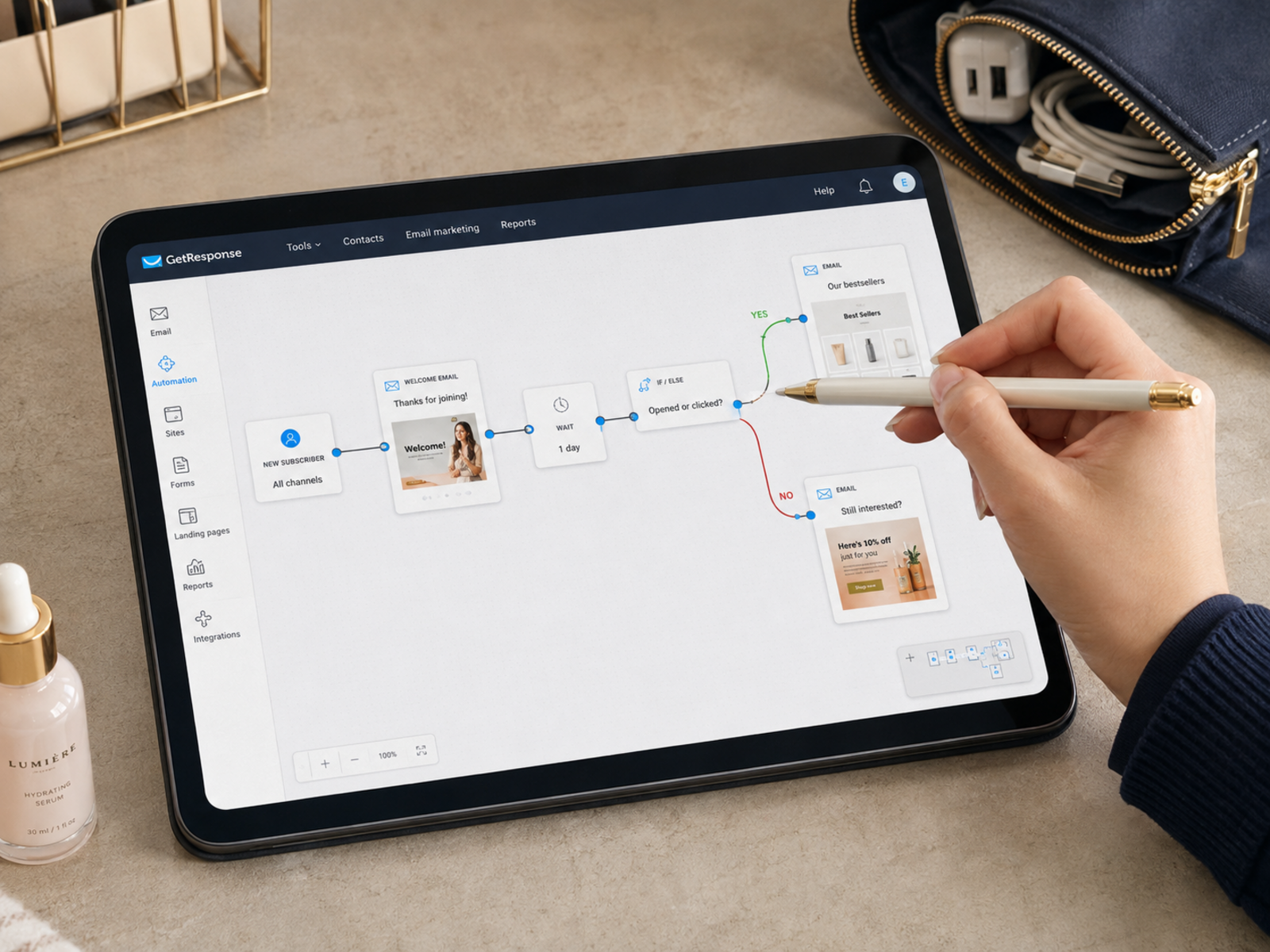
GetResponse helps users clearly see how subscribers move from signup forms into welcome emails, onboarding sequences, and later offers.
That visual layout reduces the fear of accidentally breaking automations during setup.
Landing Pages Connect Smoothly Into Funnels
A signup page can feed directly into an automated sequence without forcing business owners to connect multiple outside tools manually.
That matters when campaigns need launching quickly.
Scheduling Reduces Daily Admin Pressure
A scheduled funnel keeps sending emails during busy workdays, client calls, editing sessions, travel, or family responsibilities.
Maintaining that consistency manually becomes difficult surprisingly fast.
Webinar And Funnel Tools Work Together
Email funnel with GetResponse setups become especially useful for businesses already using webinars, lead magnets, landing pages, or digital product promotions inside the same platform.

Funnel system supporting audience communication and onboarding.
Simple Funnels Usually Age Better
A creator can start with one straightforward lead magnet funnel, then slowly add behaviour triggers, endless segmentation trees, conditional paths, and complicated tagging rules until the setup feels exhausting maintaining.
Simple funnels usually survive longer because they are easier reviewing, testing, updating, and improving later.
That matters once businesses become busy. A manageable automation system keeps working quietly in the background without turning email marketing into another stressful maintenance task.
Frequently read together: Best email marketing platforms
What Improves Funnel Performance Most?
Better Subject Lines Increase Open Rates Fast
Weak subject lines quietly destroy otherwise useful emails because subscribers never open them.
A strong subject line should promise a clear benefit without sounding exaggerated or spammy.
Consistency Matters More Than Aggressive Selling
Readers respond better when emails feel reliable, calm, and genuinely useful.
Urgency can work occasionally, but nonstop pressure teaches subscribers ignoring future messages.
Realistic Advice Builds Stronger Trust
Specific operational insight performs better than vague motivation.
“Send the welcome email within ten minutes of signup” feels far more useful than saying “build stronger audience relationships.”
Cleaner Funnels Reduce Subscriber Drop-Off
Email funnel with GetResponse systems usually perform best once communication feels easy following instead of emotionally overwhelming subscribers immediately.

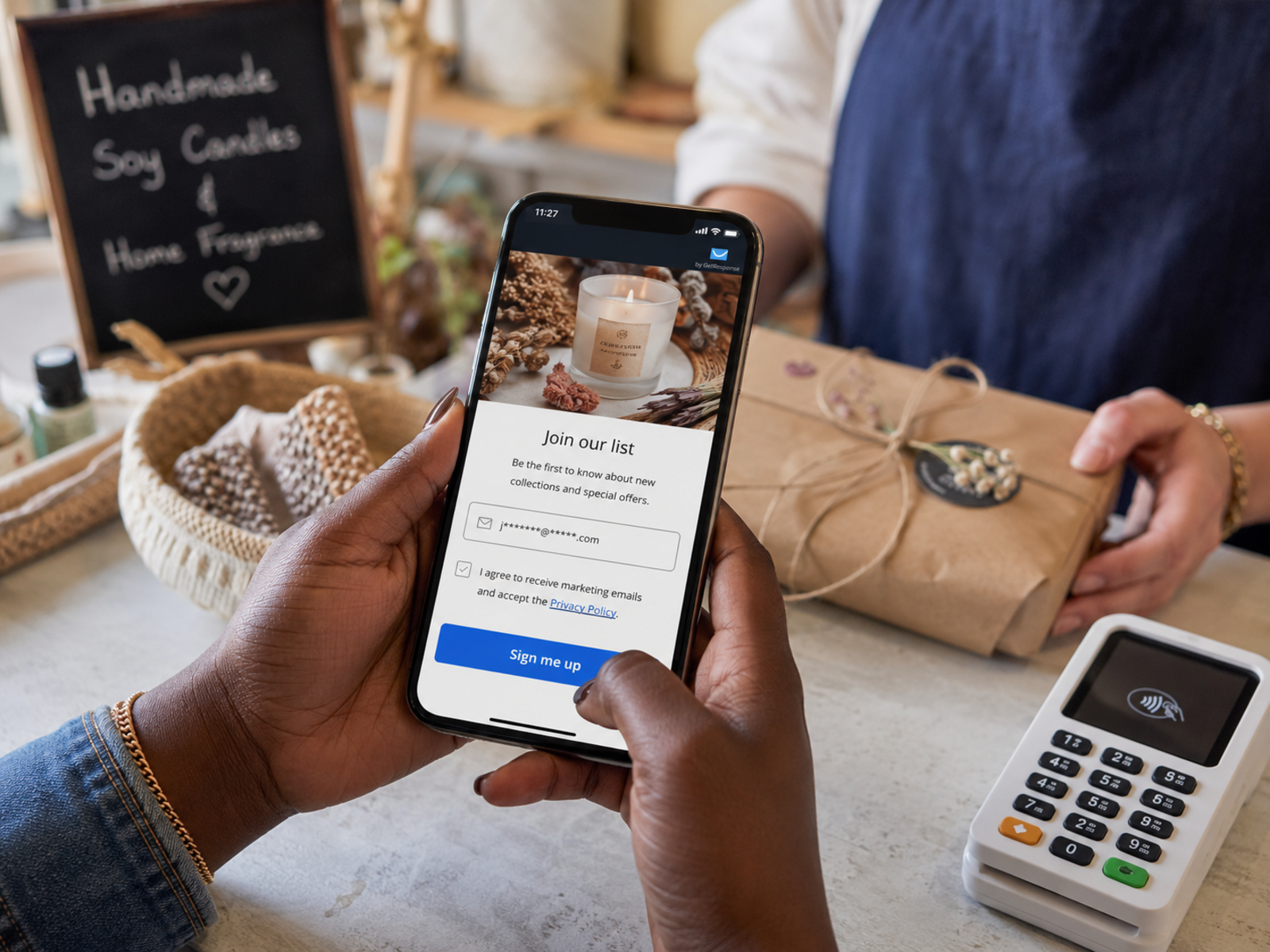
Subscriber communication workflow supporting audience trust and engagement.
Pros And Cons Of Simple Automated Funnels
Pros
Cons
FAQs
How many emails should a beginner funnel contain?
A beginner funnel can work well with three to five useful emails introducing subscribers gradually without overwhelming them immediately.
Why do subscribers stop engaging quickly?
Weak follow-up, inconsistent communication, aggressive selling, unclear messaging, and poor timing frequently reduce subscriber interest fast.
Does GetResponse support automated email funnels?
Yes. GetResponse supports automation workflows, scheduled sequences, landing pages, subscriber onboarding, and funnel systems.
Should every email sell something?
Not usually. Stronger funnels often build familiarity and provide useful guidance before introducing offers naturally later.
Do businesses need complicated automation immediately?
No. Most beginners improve faster once systems remain simple enough maintaining comfortably over time.
Final Verdict
Many creators lose subscribers not because their content lacks value, but because follow-up quietly becomes inconsistent once schedules grow crowded. That gap makes a simple automated funnel extremely valuable.
GetResponse works well for businesses wanting connected landing pages, scheduled emails, webinar support, and reliable subscriber follow-up without manually managing every interaction. The strongest funnels are rarely the most complicated ones. Usually, the best results come from useful communication, calmer timing, practical advice, and systems simple enough maintaining consistently long term.