



How to Keep a Home Office…

Under-Desk Walking Pads UK 2026: 3…

How to Reduce Screen Glare Indoors…

Garden Office Setups for Remote Workers:…

Wellness Gadgets for Home Workers (2026):…

Top 10 Best Wearables for Wellness…

Black Friday Desk Comfort Buys: What…

The Best Desk Stretches for Busy…

Top 10 Ergonomic Office Chairs for…

Sunrise Alarm Clocks Compared: Are They…

Fitbit Edge vs Fitbit Air vs…

Soup Maker vs Saucepan: Which Suits…
The best monitor arms UK home workers can buy lift the screen to eye level and free desk space, which matters when your office is a spare-room corner or kitchen table. The Ergotron LX at £234.92, on back order and due 1 December, is the safe all-round pick, and the iiyama DS3001C-B1 at £42.98 is the best budget one. Check your screen's weight and your desk edge first, because both iiyama arms stop at 5kg.
Quick Overview
- Best all-round: Ergotron LX, £234.92.
- Best budget: iiyama DS3001C-B1, £42.98.
- Cheapest: ProperAV single arm, £29.99.
- Two screens for less: ProperAV dual arm, £39.99.
- Check your screen weight and desk edge first.

UK Comparison Table: The Best Monitor Arms for Home Workers
Prices checked on 28 November 2026 on each retailer's page, during Black Friday week, so expect them to move. The list is by use, not ranked. Screen sizes and weights are the figures each retailer page gave.
| # | Arm | Best for | Holds | Price (where checked) |
|---|---|---|---|---|
| 1 | Ergotron LX Desk Monitor Arm | Most home desks | One screen | £234.92 inc VAT (Rapid, back order) |
| 2 | iiyama DS3001C-B1 | A budget first screen | One screen up to 27", 5kg | £42.98 (Scan) |
| 3 | ProperAV Swing Arm Gas Spring | The lowest price | One screen 17-32" | £29.99 (Argos) |
| 4 | Dell Pro Single Monitor Arm MSA20 | Bigger single screens | One screen 19-38", up to 9.98kg | £143.36 (Dell UK) |
| 5 | Humanscale M2.1 | A desk in a shared room | One screen up to 10kg | £202.50 (John Lewis, was £270) |
| 6 | j5create Single Arm with Docking Station | Laptop workers who want one cable | One screen 17-32", 8kg | £120.00 (Currys) |
| 7 | iiyama DS3002C-B1 | Two screens with a three-year warranty | Two screens up to 27", 5kg each | £59.99 (Scan) |
| 8 | ProperAV Dual Swing Arm Gas Spring | Two bigger screens for less | Two screens 17-32", 9kg each | £39.99 (ProperAV) |
| 9 | Ergotron LX Dual Side-by-Side Arm | A long-term dual setup | Two screens up to 27" | £329.99 (Scan) |
| 10 | Ergotron HX Monitor Arm | One ultrawide screen | One screen up to 49", 9.1-19.1kg | £239.99 (Scan) |
How we picked: we compared UK price, the stated screen sizes and weights, the guarantee and how each arm fits a small home desk. We did not rank by affiliate commission.
Do You Need a Monitor Arm If You Work From Home?
A monitor arm earns its place when you work at the same desk most days. It lifts the screen to eye level for video calls, frees the desk for a notebook, and lets you push the screen back when the workday ends and the room becomes a bedroom again.
If you only work from home once a week, a laptop stand may be enough. Our next read at the end compares them.
The 10 Best Monitor Arms UK Home Workers Can Buy
1. Ergotron LX Desk Monitor Arm: Best for Most Home Desks
Rapid lists the Ergotron LX Desk Monitor Arm in black (45-241-224) at £234.92 including VAT, on back order with an availability date of 1 December 2026. The page lists a gas-assisted desk mount with height adjustment, rotation and up to 70° of upward tilt. It holds one 15 to 34-inch screen up to 11kg and fits desks up to 60mm thick.

Ergotron LX Desk Monitor Arm at a glance
Best for: a single screen at a spare-room or bedroom desk you use every day. Watch out for: it was on back order, and the Rapid page did not state a warranty.
2. iiyama DS3001C-B1: Best for a Budget First Screen
Scan lists the iiyama DS3001C-B1 single gas spring arm at £42.98 inc VAT, with a 36-month warranty. It holds one 10 to 27-inch screen up to 5kg, offers up to 410mm of height adjustment, and fits with a desk clamp or through a grommet hole. That makes it a sensible first step for a home worker moving from a laptop alone to a laptop plus one monitor. Best for: a standard 24 or 27-inch office monitor. Watch out for: the 5kg limit rules out many larger or curved screens.
3. ProperAV Swing Arm Gas Spring: Best for the Lowest Price
Argos lists the ProperAV Swing Arm Desk Monitor Mount Gas Spring for 17 to 32-inch screens at £29.99, with a manufacturer's 1-year guarantee. The page says the gas spring arm extends up to 442mm, fits a 100x100 VESA mount and has cable management. It is the cheapest arm here, and Argos stores make it easy to collect and return, which helps if you are not sure an arm suits your desk yet.
ProperAV Swing Arm Gas Spring at a glance
Best for: testing whether an arm works in your home office before spending more. Watch out for: the Argos page did not say how heavy a screen it holds, so check with ProperAV first.
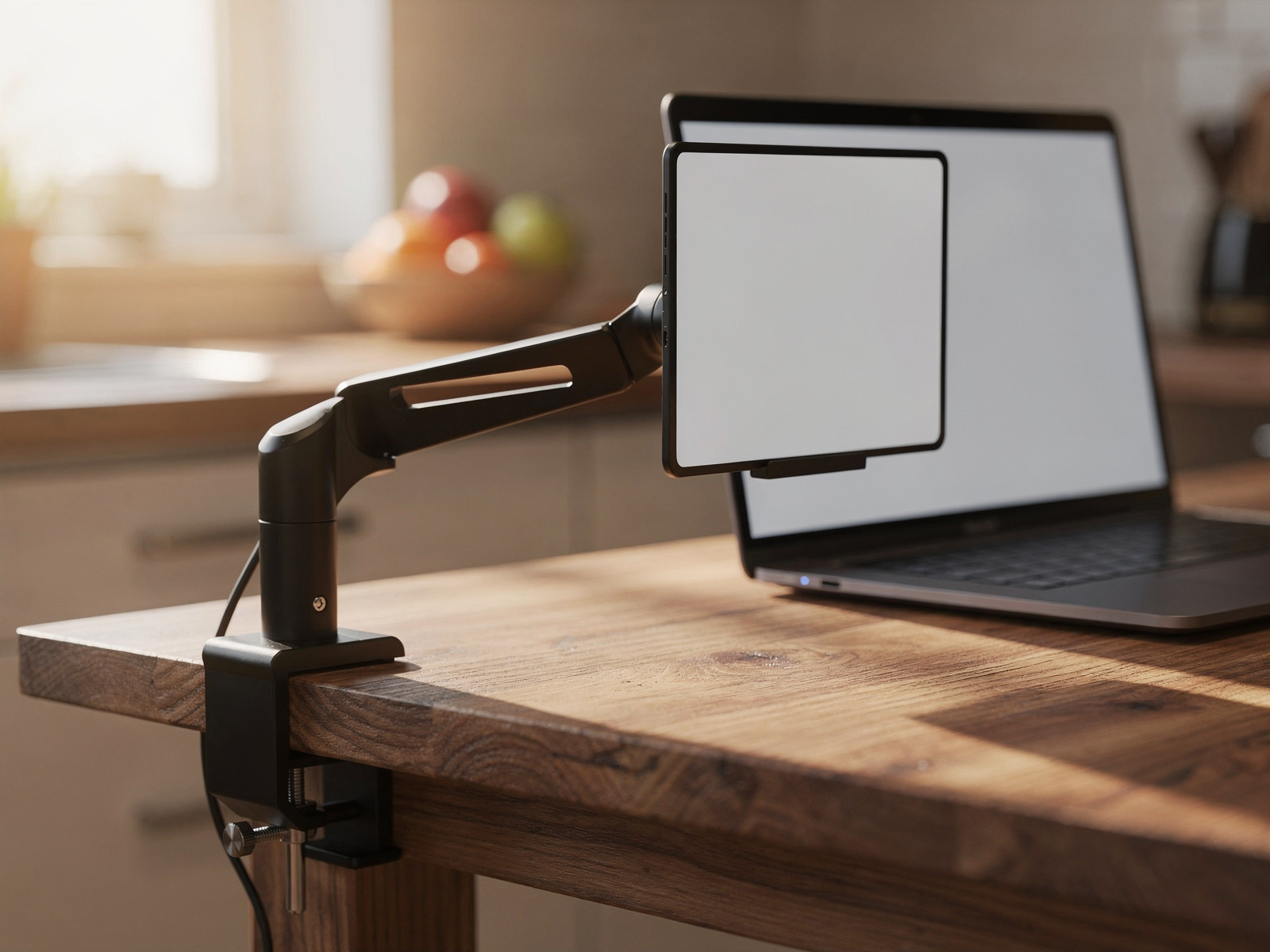
4. Dell Pro Single Monitor Arm MSA20: Best for Bigger Single Screens
Dell UK lists the Dell Pro Single Monitor Arm MSA20 at £143.36 inc VAT (£119.47 ex VAT). It lists support for 19 to 38-inch screens from 2.22kg to 9.98kg, with -35° to 80° tilt, +/-90° pivot, a 180° pan and cable management. That wider range suits a home worker who has upgraded to a 32 or 34-inch screen for spreadsheets or design work. Best for: one larger screen. Watch out for: it stops at 9.98kg, so weigh a large screen first. Dell lists a 3-year limited hardware warranty and both clamp and grommet fitting.
5. Humanscale M2.1: Best for a Desk in a Shared Room
John Lewis lists the Humanscale M2.1 Monitor Arm in white at £202.50, down from £270.00, with a 15-year guarantee. It holds screens up to 10kg, uses Humanscale's weight-compensating spring and comes with a clamp. Its slim shape suits a home office in a living room or bedroom, where you want the desk to look tidy after work and the screen out of the way in the evening.

Humanscale M2.1 at a glance
Best for: home workers who share the room and want the arm to look neat. Watch out for: the page did not list a screen size range, so check your monitor's weight.
6. j5create Single Arm with Docking Station: Best for Laptop Workers Who Want One Cable
Currys lists the j5create Single Arm Full Motion 17-32" Monitor Desk Mount with Docking Station at £120.00, with a 2-year guarantee. It holds one 17 to 32-inch screen up to 8kg, fits by clamp or grommet, and has a built-in dock that j5create's page for model JTSA301 lists as 6-in-1, with one 4K HDMI output alongside USB ports. For a home worker on a work laptop, that means one cable to plug in each morning. Best for: laptop-only home workers. Watch out for: Currys also describes a 10-in-1 dock for two screens, so confirm the model and that your laptop supports it.
7. iiyama DS3002C-B1: Best for Two Screens With a Three-Year Warranty
Scan lists the iiyama DS3002C-B1 dual gas spring arm at £59.99 inc VAT, with a 36-month warranty. It holds two 10 to 27-inch screens up to 5kg each and fits by desk clamp or grommet. Two screens on one arm help home workers who run calls on one screen and documents on the other, without two stands eating a small desk.
iiyama DS3002C-B1 at a glance
Best for: two matching office monitors. Watch out for: the 5kg limit per screen.

8. ProperAV Dual Swing Arm Gas Spring: Best for Two Bigger Screens for Less
ProperAV lists its Dual Swing Arm Gas Spring monitor mount for 17 to 32-inch screens at £39.99 on its own site. Each arm holds up to 9kg, and it fits with a desk clamp and a 100x100 VESA plate. It costs less than the iiyama dual and takes larger and heavier screens, which suits home workers who have bought two 27 or 32-inch monitors. Best for: two bigger screens on a budget. Watch out for: the ProperAV page did not state a guarantee, while Scan lists three years for the iiyama.
9. Ergotron LX Dual Side-by-Side Arm: Best for a Long-Term Dual Setup
Scan lists the Ergotron LX Dual Side-by-Side Arm (45-245-026) at £329.99 inc VAT, with a 36-month warranty. The page lists 33cm of height range, landscape or portrait positions and cable routing under the arm, and an answer there citing the maker says it holds two screens up to 27 inches. It costs over five times the budget duals, so it is for a home worker who expects to use the same two-screen desk for years. Best for: a permanent dual setup. Watch out for: Scan had no stock or due date, and its product description did not say how heavy a screen each arm holds.
10. Ergotron HX Monitor Arm: Best for One Ultrawide Screen
Scan lists the Ergotron HX Monitor Arm in black at £239.99 inc VAT, with stock due in 1 to 3 days. It holds one screen up to 49 inches weighing 9.1kg to 19.1kg, fits by clamp or grommet, and supports VESA 75x75 up to 200x200mm. Scan lists a 36-month warranty, while the description mentions a 10-year maker's warranty. An ultrawide can replace two screens for a home worker, and this arm is built for that weight.
Ergotron HX Monitor Arm at a glance
Best for: a heavy ultrawide or curved screen. Watch out for: screens under 9.1kg may be too light for it.

Which Monitor Arm Suits Your Home Office?
You work on a laptop at the kitchen table
Start with the j5create arm with its dock, or the ProperAV single arm if you want to try one cheaply. Check the table edge is thick and strong enough for a clamp.
You have a small desk in the spare room
The Ergotron LX or iiyama DS3001C-B1 lifts one screen and frees the desk below. Pair it with one of our desks for small spaces if the desk itself is the problem.
You run calls on one screen and work on another
The ProperAV dual arm at £39.99 is the cheapest way here to hold two screens, and the iiyama DS3002C-B1 at £59.99 adds a three-year warranty. Choose the ProperAV if your screens are bigger than 27 inches.
Your desk sits in a shared room
The Humanscale M2.1 looks neat when pushed back after work. That helps keep the home office from taking over the room.
How to Check a Monitor Arm Fits Before You Buy
- Find your screen's weight without the stand, and check it sits inside the arm's range.
- Check the back of the screen has VESA holes, usually 75x75 or 100x100mm.
- Measure your desk edge. Most clamps need a solid edge, not a glass top or a thin lip.
- Check there is space behind the desk if it sits against a wall.
- If the desk belongs to a landlord or your employer, use the clamp rather than drilling a grommet hole.
Monitor Arm Mistakes Home Workers Make
The most common mistake is buying on screen size alone. A heavy 27-inch screen can sink on a 5kg arm, while a light screen can bounce up on the Ergotron HX, which needs 9.1kg or more.
The second is setting the screen too high. For long home workdays, the top of the screen should sit at or just below eye level. Our guide to lower back pain from sitting too long covers the rest of the desk setup.
Setting Up a Monitor Arm for Video Calls at Home
Video calls are where a monitor arm pays off for home workers. A laptop on the table points its camera up at your chin. A screen on an arm, with a webcam on top, puts the camera at eye level.
- Clip the webcam to the top of the monitor, then set the screen height so the camera is level with your eyes.
- Pull the screen about an arm's length away, so your face fills the frame without looming.
- Angle the screen so a window is in front of you or to the side, not behind you.
- Route cables along the arm so nothing hangs in shot.
- At the end of the day, push the arm back against the wall to clear the desk.
What a Monitor Arm Costs Against a New Desk
An arm is often a cheaper fix than a bigger desk. In this list, single arms run from £29.99 to £239.99 and dual arms from £39.99 to £329.99. A monitor's own stand sits on the desk, while an arm clamps to the back edge and frees that space.
For a home worker with a small desk, a £39.99 or £42.98 arm may save buying new furniture.
Sources
Retailer and maker pages for each arm. Prices change, so confirm on the day you buy.
FAQ
Will a monitor arm fit any desk?
No. Most clamps need a solid edge and a set thickness, and some desks have a lip, a drawer or glass in the way. Measure your desk edge and check the clamp range on the product page before you order.
Can I use a monitor arm with just a laptop?
Yes, if you add a monitor. An arm holds the screen while your laptop sits below it or closed beside it. The j5create arm adds a dock so a laptop can run the screen through one cable.
Are cheap monitor arms worth it?
They can be. The ProperAV and iiyama arms cost between £29.99 and £59.99, and suit standard office screens. The dearer arms list longer guarantees, up to 15 years for the Humanscale M2.1, which matters if you work from home every day.
Single or dual monitor arm?
Choose a dual arm if you already use two screens or plan to soon. If you are unsure, start with a single arm. An ultrawide on the Ergotron HX is another way to get more screen space from one arm.
Do monitor arms work with sit-stand desks?
Many do. John Lewis says the Humanscale M2.1 is compatible with sit-stand workstations. For other arms, check the clamp fits your desk frame and that the cables are long enough when the desk rises.
Final Verdict
Final Verdict
For most people who work from home, the Ergotron LX at £234.92 is the arm to buy for one screen, though Rapid has it on back order, due 1 December. The iiyama DS3001C-B1 at £42.98 is the best value. Choose the j5create arm if you work on a laptop and want one cable, the iiyama DS3002C-B1 or ProperAV dual for two screens, and the Ergotron HX only for a heavy ultrawide. The biggest reservation is fit: check your screen weight and desk edge first, then confirm the price on the day you buy.