



Fitbit Edge vs Fitbit Air vs…

Autumn Comfort Food: How to Eat…

Soup Maker vs Saucepan: Which Suits…

The Best Lighting for Darker Autumn…

Create an Autumn Wind-Down Routine That…

Heated Throw vs Heated Blanket vs…

Autumn Sleep Reset: Light, Temperature and…

Dehumidifiers Explained: When Are They Actually…

A Realistic Autumn Walking Routine for…

Autumn Social Reset: Small Plans for…

Sekonda Smart Ring vs Oura Ring…

Make Your Home Cosier Without Turning…
Neck and shoulder tension at your desk often starts with the setup, not your discipline. A low screen, awkward keyboard reach, distant mouse, high desk or unsupported sitting position can quietly make your shoulders work too hard for hours. This guide is not just a list of desk stretches. It starts with the sources of strain, then uses movement, simple resets and comfort tools to stop the same tension returning all day.
Raise the screen first
Keep keyboard and mouse close
Relax the shoulders while typing
Check chair and desk height
Use stretches as support
Try reminders before tension builds
Get help for persistent symptoms

Most Relevant Audience
This guide is for remote workers, home workers, freelancers, bloggers, creators, side hustlers, parents, carers and small business owners who spend long hours at a desk.
It is especially useful if you finish work with tight shoulders, a stiff neck, upper-back tension or the feeling that your laptop has been slowly pulling you forward since breakfast.
Start With The Desk Setup
If your laptop sits too low
A low laptop screen often makes the head drop forward. Over time, your neck and shoulders have to work harder to hold that position.
Raise the screen closer to eye level with a laptop stand or monitor riser. Pair it with an external keyboard and mouse so your hands can stay lower and relaxed.
If your keyboard is too far away
If the keyboard sits too far forward, your arms reach and your shoulders may tense without you noticing.
Bring the keyboard closer so your elbows can stay near your body. Your shoulders should feel relaxed, not lifted. A compact keyboard can help if your desk is small or crowded.
If your mouse makes you reach
A mouse placed too far to the side can load one shoulder all day. Keep it close enough that your upper arm stays relaxed.
Clear space around the mouse before buying anything new. The goal is a setup where clicking does not require a small shoulder journey every time.
If your chair and desk height disagree
Chair height, desk height and arm position all affect shoulder tension. If the desk is too high, shoulders may lift. If the chair is too low, arms may reach upward.
Adjust the chair if possible. Keep feet supported. If your feet dangle after raising the chair, a footrest can help.
If the screen pulls you forward
The screen should be easy to see without leaning. If text is too small, brightness is poor or the screen is too far away, your head may drift forward.
Increase text size, adjust brightness and bring the screen to a comfortable distance. Your neck should not have to chase the work.
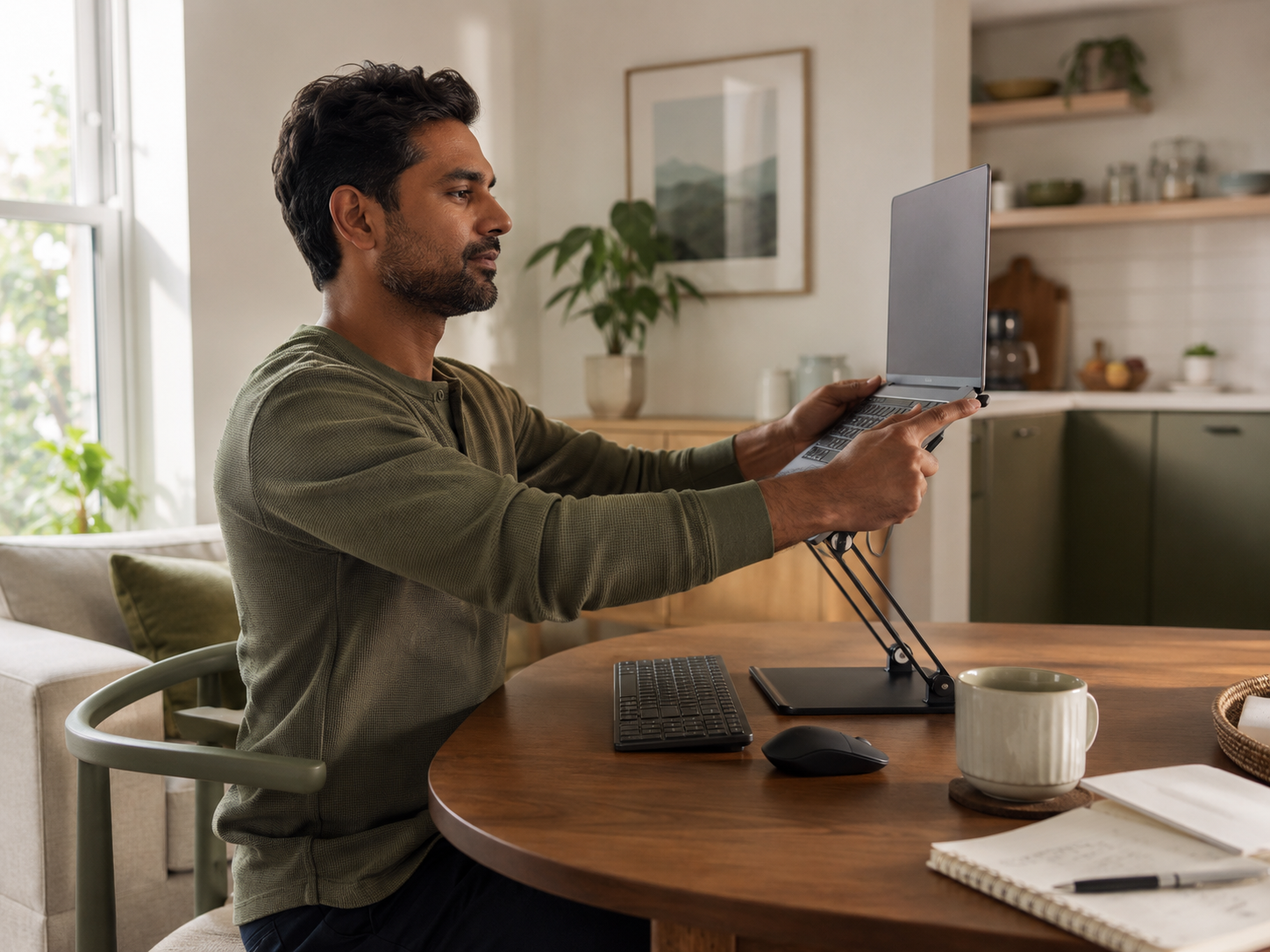
Stretching and massage can feel good, but they work best when the desk is not recreating the same tension every hour. Start with screen height, keyboard position, mouse reach, chair setup and sitting patterns. Then use stretches, reminders and comfort tools as support.
Helpful Desk-Worker Upgrades
Laptop Stand
A laptop stand is best for raising the screen so you are not folding toward the laptop all day.
Look for stable support, a suitable height range, strong laptop fit and enough desk space. Portable stands are useful if you move between rooms. A fixed stand may feel better if you work from one desk.
External Keyboard And Mouse
An external keyboard and mouse let you raise the laptop screen while keeping your hands at a comfortable height.
Choose options that fit your desk, hand size and typing style. Comfort matters more than extra buttons. If your shoulders drop and your arms stop reaching, the setup is doing useful work.
Resistance Bands
Resistance bands can support gentle upper-back and shoulder movement between work blocks.
Choose light resistance, easy storage and a band you can keep near the desk. The aim is controlled movement, not a hard strength session. If it feels too intense, you are less likely to repeat it.
Neck And Shoulder Massager
A neck and shoulder massager can help with temporary comfort after long desk sessions.
Check pressure level, heat settings, fit, safety guidance and return policy before buying. Treat it as relief, not the fix. It will not solve a low screen, awkward mouse reach, no breaks or ongoing pain.
Timer App Or Smart Watch Reminder
A timer app or smart watch reminder can prompt posture checks, shoulder drops, short walks or stretch breaks.
Keep alerts simple and realistic. Too many reminders become background noise. A useful prompt should help you reset before tension builds, not interrupt every useful moment of focus.

Supporting Neck And Shoulder Resets
Shoulder drop reset
Sit or stand tall. Lift the shoulders slightly as you inhale, then let them drop as you exhale. Repeat three to five times.
Use this after calls, emails or focused typing blocks. It helps you notice when your shoulders have crept upward again.

Neck turn reset
Turn your head slowly to one side, pause, then return to centre. Repeat on the other side.
Keep the range comfortable. Do not pull, force or chase a deep stretch. This is a small reset for stiffness, not a flexibility test.

Chest opener
Stand and place your hands gently behind your lower back or on the back of your chair. Open across the chest while keeping the shoulders relaxed.
This can counter the rounded position that builds during laptop and keyboard work. Keep it mild and steady.
Upper-back band pull
Use a light resistance band and hold it in both hands in front of you. Gently pull the band apart, pause briefly, then release with control.
This can wake up the upper back after long typing sessions. Avoid shrugging upward as you move.
Movement Breaks That Support The Setup
Between email blocks
After a batch of replies, stand up and reset your shoulders before opening the next set of messages.
This keeps inbox work from becoming one long tense posture. A short reset is often easier to repeat than a full stretch routine.
After video calls
Video calls often make people sit still and hold tension in the shoulders. After a call, walk for a minute, open the chest or roll the shoulders slowly.
Use the transition before jumping into the next task. The break does not need to be long to be useful.
Before deep work
Before starting a writing, editing, design or admin block, check your setup. Bring the keyboard closer, relax the shoulders and set the screen height.
Starting well helps. It is easier than trying to undo two hours of tension later.
During screen-heavy afternoons
Afternoons are when small setup problems often become more noticeable. Use a reminder to stand, stretch the chest, move the neck gently or walk away from the screen.
This helps stop stiffness quietly becoming the main feature of the day.
Common Desk Setup Mistakes
Raising the laptop without changing the keyboard
A laptop stand helps most when paired with an external keyboard and mouse. If you raise the laptop and keep typing on it, your arms and shoulders may end up strained.
Screen height and hand position need to work together.
Letting shoulders creep upward
Many people hold their shoulders slightly raised while typing, clicking or concentrating. This can build tension without feeling obvious at first.
Check your shoulders during the day. Let them drop. Bring the work closer if reaching is causing the lift.
Sitting too long without resetting
Even a good setup can feel uncomfortable if you never change position. Posture works better with movement.
Stand, walk, stretch or reset between tasks. Your best position is usually the next position, not one perfect pose held all day.
Using a massager as the main solution
A massager may feel helpful, but it should not replace setup changes, breaks or professional advice when needed.
If tension keeps returning, look at the desk first. The source may be screen height, chair position, keyboard reach, mouse placement or workload habits.
Ignoring the workload pattern
Neck and shoulder tension is not always just furniture. It can build during stressful calls, constant inbox checks, long focus blocks and skipped breaks.
Notice when tension appears. If it always follows the same task, the routine may need adjusting as much as the equipment.

When Desk Tension Needs More Than Setup Changes
If pain is sharp or worsening
Sharp, severe or worsening neck and shoulder pain needs more than a desk article. Stop anything that increases symptoms and seek appropriate advice.
Gentle stretches should not create sharp pain. If they do, pause and reassess.
If you notice numbness or weakness
Numbness, tingling, weakness or symptoms travelling into the arm or hand should be taken seriously.
A better desk setup may still help later, but those symptoms deserve professional guidance rather than guesswork.
If tension keeps returning
If you keep changing your setup and still feel regular pain or strong tension, get help identifying the cause.
Sometimes the issue is posture, workload, stress, eyesight, an old injury or something else entirely. You do not need to solve it alone.

FAQ
Why do my neck and shoulders hurt at my desk?
Neck and shoulder tension often comes from low screens, reaching for the keyboard or mouse, raised shoulders, poor chair height, long sitting and too few breaks.
It is usually a workday pattern, not a personal failure. Small setup changes and regular movement can help reduce strain.
How can I reduce neck tension while working?
Raise your screen, bring your keyboard and mouse closer, relax your shoulders and take short movement breaks.
Gentle neck turns, chest openers and shoulder drops can also help during the day. Keep stretches comfortable and avoid forcing your neck.
Can a laptop stand help shoulder pain?
A laptop stand can help if a low screen is making you lean forward. It works best with an external keyboard and mouse.
Used alone, a stand can create new shoulder or wrist strain if you keep typing on the raised laptop.
What stretches help desk-worker neck tension?
Helpful stretches include gentle neck turns, shoulder drops, chest openers and upper-back band pulls.
The key is keeping them mild and repeating them before tension builds. Stop if anything feels sharp, strained or uncomfortable.
Are neck and shoulder massagers worth it?
Neck and shoulder massagers can be worth it for temporary comfort, especially after long desk sessions.
They are not a fix for poor setup, long sitting or ongoing pain. Use them carefully and check safety guidance before buying.
When should I see a professional about neck pain?
Seek professional advice if pain is severe, sharp, worsening, recurring, spreading into the arm, or linked with numbness, tingling or weakness.
You should also get help if pain affects sleep, work or daily life.
Final Verdict
To reduce neck and shoulder tension at your desk, start with the setup that creates the strain. Raise the screen, bring the keyboard and mouse closer, relax the shoulders, check chair height and stop treating long stillness as normal desk work.
Helpful tools such as a laptop stand, external keyboard and mouse, resistance band, reminder app or cautious massager can support the routine. The main goal is a desk that stops asking your neck and shoulders to carry the whole workday.