



Domain vs Web Hosting: What Is…

Can Free Affinity Help You Build…

Can Hostinger AI Builder Launch a…

Plug-In Solar Panels UK: Are They…

Meta One Explained: Is the Subscription…

Plaud One Explained: UK Price, Plans…

Namecheap vs Dynadot

Bluehost vs Siteground

Namecheap review

Cloudways Vs WP Engine

Dropshipping Explained

Email Subject Lines That Improve Open…
Before buying a Black Friday monitor, mic or dock, look up the exact model and compare today's total with what it usually costs. Include delivery and anything you'll need to make it work. If a monitor usually costs £150 delivered, a £139 offer with £9 delivery saves you £2. If you can wait, that's a good reason to keep your money in your pocket.
Quick Overview
- Match the exact model code and condition.
- Check what that version usually costs.
- Compare checkout totals at two UK retailers.
- Check compatibility and what comes in the box.
- Check the return deadline and postage cost.

Match the Model and Check Its Price History
Step 1: Match the exact model code and condition
Copy the full model code from the listing and match it to the maker's spec sheet. Sale pages often show a family name, such as a 27-inch 4K monitor, when several versions share it with different ports, panels or bundled stands. Note the condition too: new, open-box and refurbished stock are different products with different prices. Everything below only works if you compare the same model, in the same condition, with the same things in the box.
Step 2: Check what that version usually costs
Ignore the crossed-out "was" price, which is only the retailer's own reference point. Look the exact model up in a price tracker such as Pricerunner or PriceSpy, and use CamelCamelCamel for Amazon listings, because PriceSpy excludes Amazon from its stored history. Select the exact variant, then change the chart's date range so you can see recent weeks as well as the longer run. A price below the usual range can be worth paying even if it has been lower before, because the lowest-ever price may have been a short clearance that never returned.
Worked Example: One Monitor at Checkout
These prices are illustrative. All three offers are for the same monitor model and condition. Offer C leaves out a cable you need, so its checkout total includes buying that cable separately. Compare what it costs to get the same working setup.
| Offer | Price | Delivery | Extra you need | Checkout total | Against a usual £150 delivered |
|---|---|---|---|---|---|
| A: Black Friday listing | £139 | £9 | None | £148 | Saves £2, hardly worth rushing |
| B: Other UK retailer | £119 | Free | None | £119 | Saves £31, worth a closer look |
| C: Cheap-looking offer | £125 | £4 | £14 cable bought separately | £143 | Saves £7, less than it first appears |
What the example shows
If the usual range over recent weeks is £140 to £155 and the lowest ever seen is £112, offer B sits clearly below the range and can still be worth buying even though it has been lower before. Offer A is inside the range, so a price alert and a wait costs you little. Offer C looks cheap until the cable you need is added to the total.
Steps 3 to 5: Compare, Check the Box, Check Returns
Step 3: Compare checkout totals at two UK retailers
Put the same model in the basket at two UK retailers and compare the total at the final checkout screen, with delivery and any discount code applied. Black Friday is Friday 27 November 2026 and Cyber Monday is Monday 30 November. Amazon UK has confirmed that its main Black Friday Week runs from 19 to 30 November, so early prices can differ from the weekend ones. If another shop offers a price match, check whether the model code is identical, because exclusive variants often do not qualify.

Step 4: Check compatibility and what comes in the box
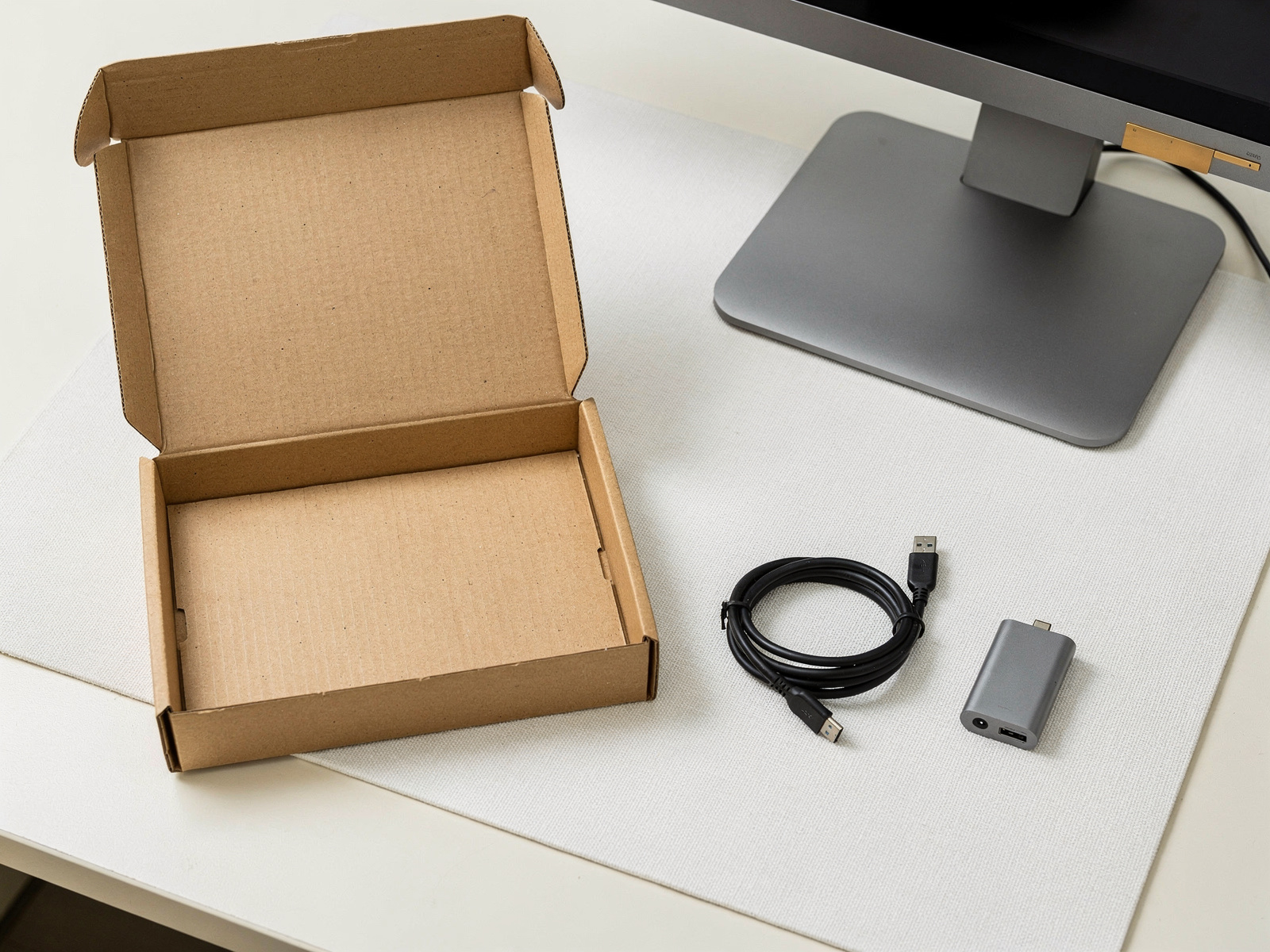
A good price on the wrong item is not a saving. Check that the ports, power and connections suit your computer and screen, and read the box contents for the cables, stand, mount, charger or adapter you still need to buy. Add the cost of anything missing to the total from Step 3 before you decide. If the listing does not say what is included, treat that as a reason to pause rather than assume.
Step 5: Check the return deadline and postage cost
For most UK consumer purchases made online, you have 14 days after delivery to tell the retailer you're cancelling, then another 14 days to send the item back. Exceptions apply. Check who pays return postage and whether the retailer offers a longer window. If you're buying as a business, check the seller's business terms.

What to Match by Gear Type
Monitors
Match the screen size, resolution, refresh rate and panel type, and check the ports for the computer you actually use. Many monitors have a near-identical sibling with a different stand, speakers or USB-C power, and the cheaper sibling is the one that often shows up in sales. If you are still choosing a type rather than checking a price, start with the portable monitors guide.
Docks
Check whether the dock supports the display setup you want, for example the number of screens and their resolution and refresh rate, and whether it charges your laptop at the wattage it needs. A dock such as the HP Thunderbolt Dock G4 is an example of a model where the exact version decides what it can do, so confirm the code against the maker's spec sheet. Also check which cables are included, because a dock that does not ship with the right one adds to your checkout total.
SSDs and external drives
Match the model code, capacity and interface, and check whether you are buying a bare drive or an enclosed portable one, because a bare drive needs a slot or a separate enclosure. For a portable drive such as the Samsung T7 Shield, check the capacity and the cable in the box, since the same name appears in several sizes at very different prices. Compare the price per terabyte on the same capacity, not the headline discount.
Webcams
Match the model code, the stated resolution and frame rate, and the mount or software you need. Elgato lists the Facecam Pro as a discontinued model, with production stopped in December 2025, so any deal is on remaining stock and you should check support and the maker's requirements before you buy. Compare resolution and frame rate with the maker's sheet rather than the retailer's headline, and check that your computer has a fast enough USB port. A current webcam that gives you the same picture on your calls can be the better buy.
Microphones
Check whether the connection is USB or XLR, and what is in the box. An XLR microphone usually needs an audio interface, so confirm the listing fits your setup before you pay. The Fifine K688 has both USB and XLR outputs. Check whether the listing includes the cable or accessories you need. If you have not chosen a type yet, our microphones guide covers that first.
What Which? Found About Black Friday Prices
One study, one reason to check
Which? tracked 175 home, tech and health appliances around Black Friday 2024 and found that 83% were available at the same price or cheaper at other times. Sources checked on 14 November 2026. That sample covered appliances from eight retailers, not desk kit, so treat it as a reason to check prices rather than a forecast for 2026 or a rule about monitors, mics or docks.
FAQ
How do I know if a Black Friday monitor deal is good?
Look up the exact model, then compare the checkout total, including delivery and anything you need to buy with it, with what that version usually costs. A price below the usual range can be worth paying even if it has been lower before. If the saving is a couple of pounds, set a price alert and wait.
Does PriceSpy show Amazon prices?
No. PriceSpy says Amazon prices are excluded from its stored history, so use an Amazon tracker such as CamelCamelCamel for an Amazon listing. On PriceSpy, select the exact variant and check the chart's date range, because the chart can show the cheapest variant at each point in time.
What if the model code differs from the spec sheet?
Pause. A sale-only or retailer-exclusive version can differ in small ways, so find the listing for the code you meant, or read the spec sheet for the code on offer, before trusting any price history.
Is skipping a Black Friday deal fine?
Yes. If the price is close to what the item usually costs and your current kit still works, set a price alert and carry on. A good deal is one you would still want at a normal price.
Final Verdict
Final Verdict
Buy if the exact model fits your setup, the full price is within budget and the return terms work for you. If the price is close to what it usually costs and your current kit still works, set a price alert and carry on. If comfort is what you're trying to fix, see which Black Friday desk comfort upgrades are worth buying before you spend.