



Can Hostinger AI Builder Launch a…

Christmas Gifts for Home Workers That…

Plug-In Solar Panels UK: Are They…

Halloween Decorations Worth Buying – and…

Meta One Explained: Is the Subscription…

Anti-Optimisation Wellness: Can a Sunrise Lamp…

Plaud One Explained: Can AI Earbuds…

Sunrise Lamps Explained: What They Actually…

Namecheap vs Dynadot

Lifesum Review UK: Is Premium Worth…

Convertkit Vs Beehiiv

Garmin CIRQA Review: Screen-Free Tracking Without…

Bluehost vs Siteground

Garden Gatherings – Summer Is The…

Namecheap review

Portable Outdoor Speakers for Garden Offices

Cloudways Vs WP Engine

Outdoor WiFi Extenders For Garden Offices

Dropshipping Explained

Portable Pools For Home Workers This…
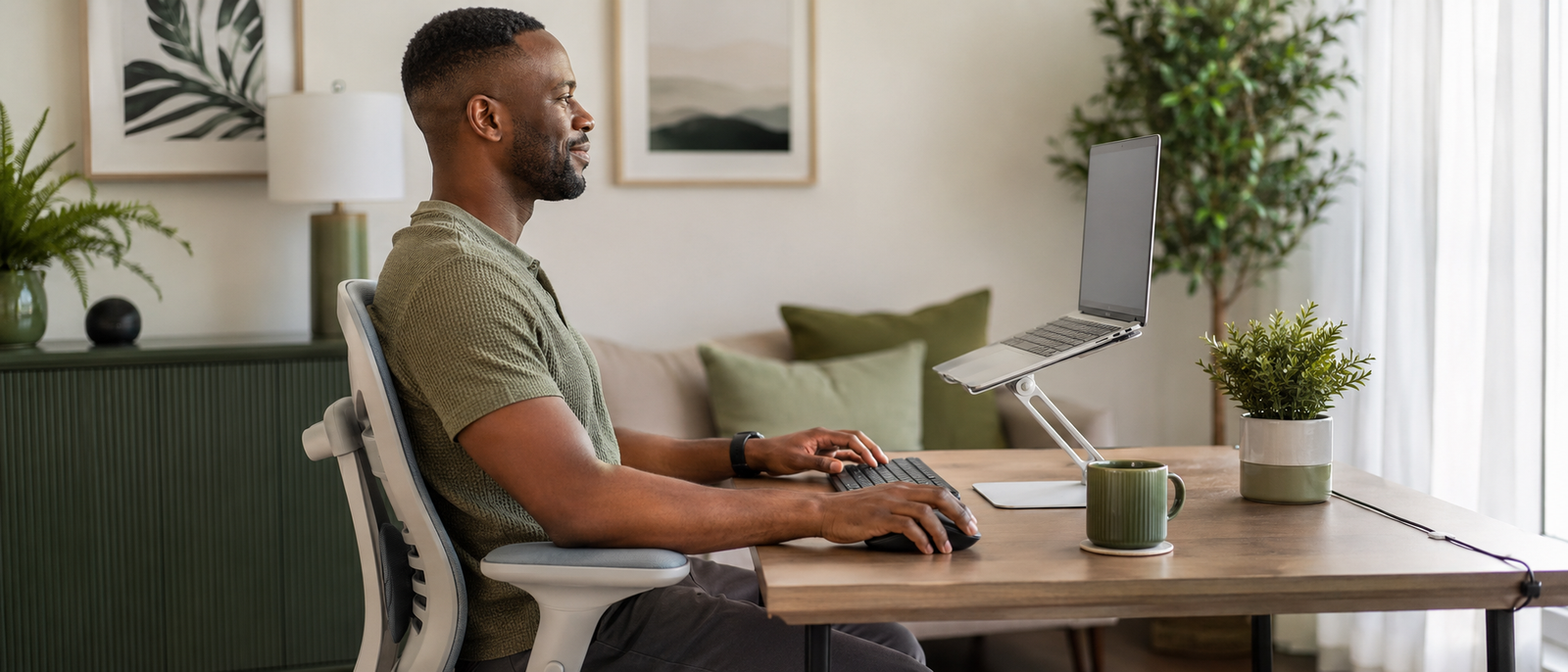
Laptop stands, keyboards and mouse setup choices can make a bigger difference than most desk workers expect. A laptop is brilliant for portability, but awkward for long work sessions because the screen and keyboard are joined together. That usually means one compromise: either your screen sits too low and your neck bends down, or your hands sit too high and your shoulders start negotiating with the ceiling.
The fix is not forcing yourself to “sit up straight” all day. It is changing the physical geometry of your desk. Raising the laptop screen, then using a separate keyboard and mouse, can make long writing, editing, admin and client work feel much less punishing on your neck, shoulders, wrists and back.
Laptop-only setups encourage hunching.
Screen height matters more than style.
A stand needs separate input devices.
Compact keyboards reduce shoulder reach.
A better mouse can ease wrist strain.
Cheap DIY setups can test the fix.
Movement breaks still matter.
Most Relevant Audience
This guide is for remote workers, creators, bloggers, freelancers, side hustlers and office workers who spend long blocks working from a laptop. It is especially useful if your neck, shoulders, wrists or lower back feel tired after a normal day of screen work.
Why Laptop-Only Setups Cause Discomfort
The screen and keyboard are trapped together
Laptops were built for portability, not ideal long-term posture. Because the screen and keyboard are attached, they force your body into a compromise. Put the keyboard at a comfortable typing height and the screen is usually too low. Raise the screen and the keyboard becomes awkward to use.
That is why laptop-only work can feel fine for short tasks but uncomfortable after hours. Your body ends up adapting to the machine instead of the machine supporting your body.
Low screens encourage neck bending
When your laptop screen sits low on the desk, your head naturally tilts down. Over time, that forward bend can create tension through the neck, upper back and shoulders.
You may not notice it in the first 20 minutes. By mid-afternoon, your neck has been quietly keeping receipts.
Cramped trackpads limit natural movement
Laptop trackpads keep your hands close together and often pull your shoulders inward. That cramped position can make your wrists, forearms and shoulders work harder than they need to.
A separate mouse gives your hand more room. A compact keyboard also helps because it lets the mouse sit closer to your body instead of forcing your arm to reach sideways all day.
Better geometry beats willpower
Trying to hold perfect posture through willpower rarely lasts. The moment you get busy, tired or focused, your body follows the setup in front of it.
A raised screen, separate keyboard and properly placed mouse make the better position easier to keep. Good ergonomics should reduce effort, not become another thing to remember.

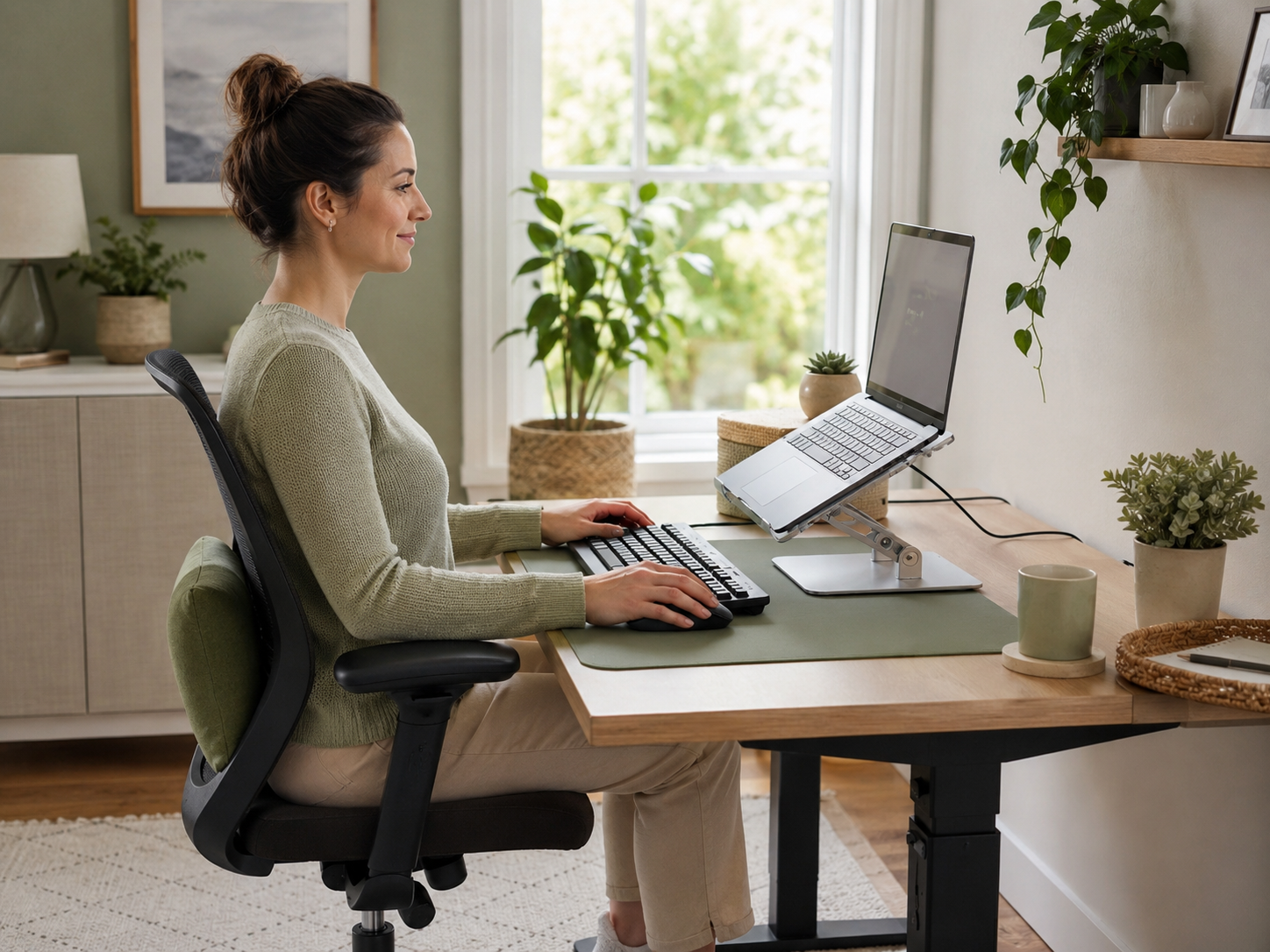
The Posture-Fixing Trio
Laptop stands
A laptop stand raises the screen so you can look forward instead of folding down toward the desk. This can reduce neck strain and make the whole setup feel more intentional.
Look for a stand that is stable, adjustable enough for your height and strong enough to hold your laptop without wobbling. Foldable stands are useful if you work in different rooms or travel with your setup.
External keyboards
Once the laptop is raised, you should not keep typing on its built-in keyboard for long sessions. That puts your wrists and shoulders into an awkward position.
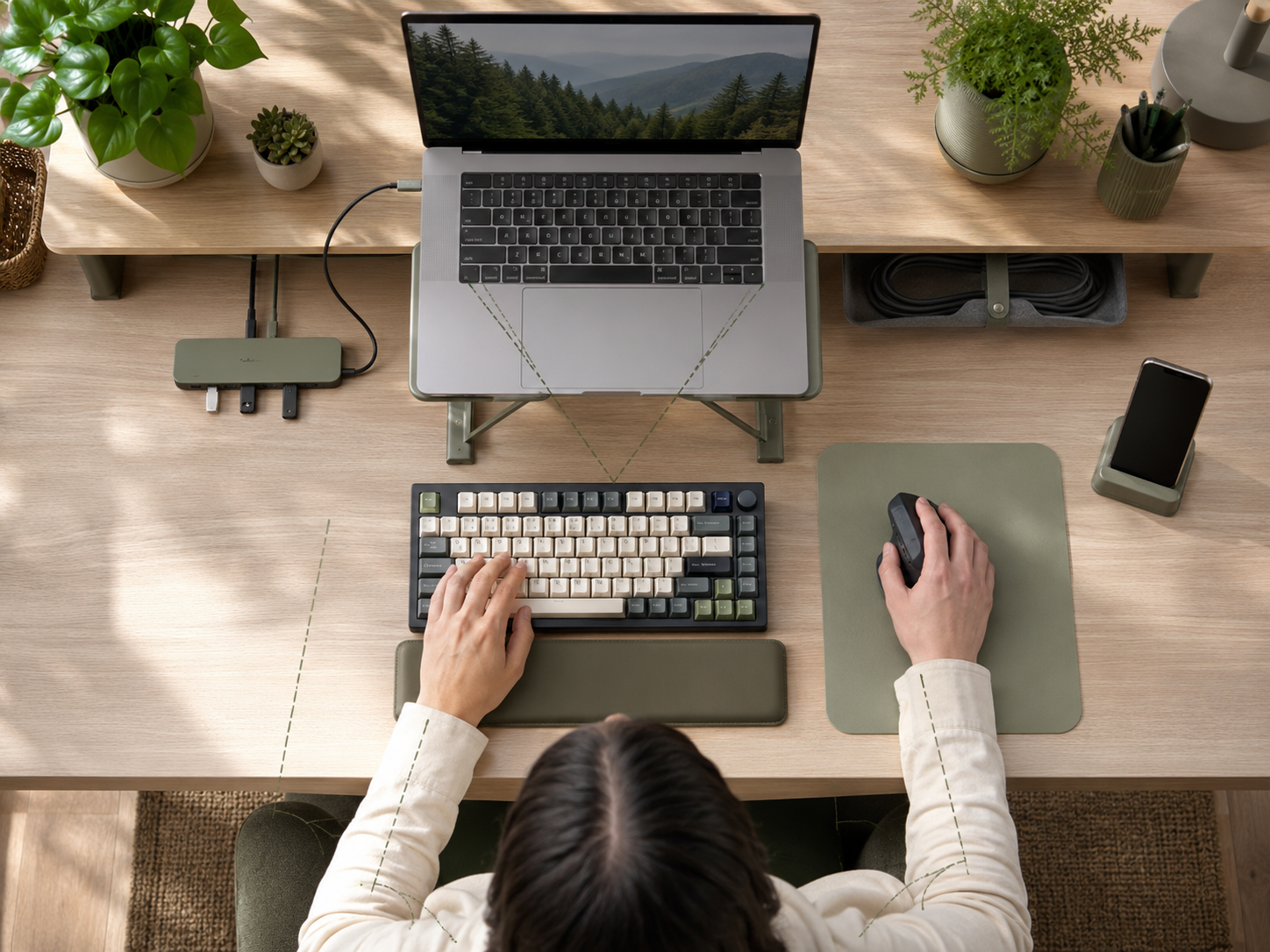
A separate keyboard lets your hands stay lower while the screen stays higher. For small desks, a compact or tenkeyless keyboard can be especially useful because it leaves more room for the mouse.
External mice
A separate mouse usually feels better than relying on a cramped trackpad all day. It gives your hand and forearm a more natural working space and can reduce repeated wrist irritation.
Standard mice can work well for many people. A vertical mouse may be worth trying if a regular mouse makes your wrist feel twisted or tense after long work blocks.
The setup works as a system
The stand, keyboard and mouse work best together. A stand without a keyboard can make typing awkward. A keyboard without a stand still leaves the screen too low. A mouse placed too far away can keep the shoulder reaching.
Think of the trio as one simple system: screen up, hands down, mouse close.
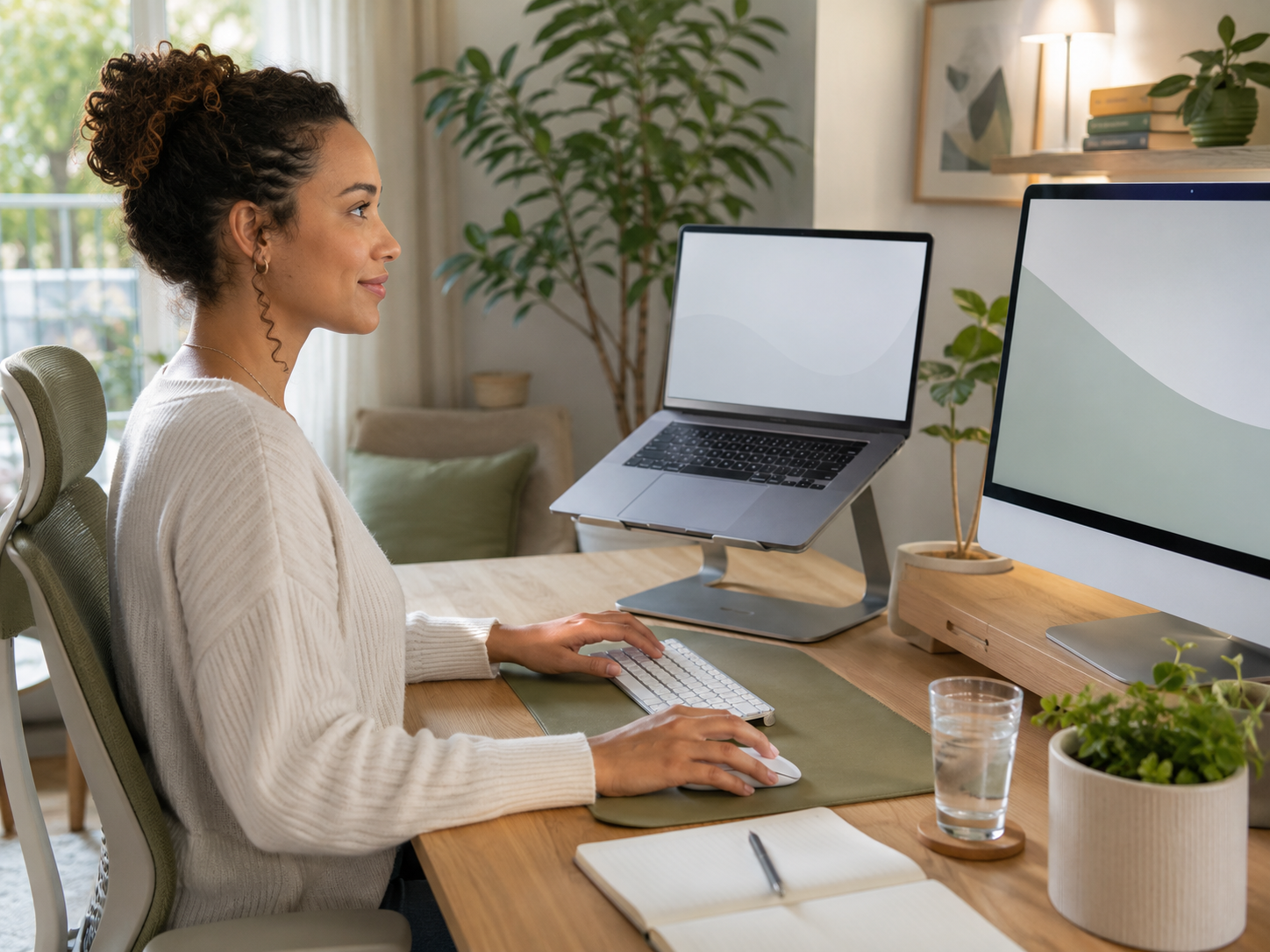
Budget-Friendly Items Worth Considering
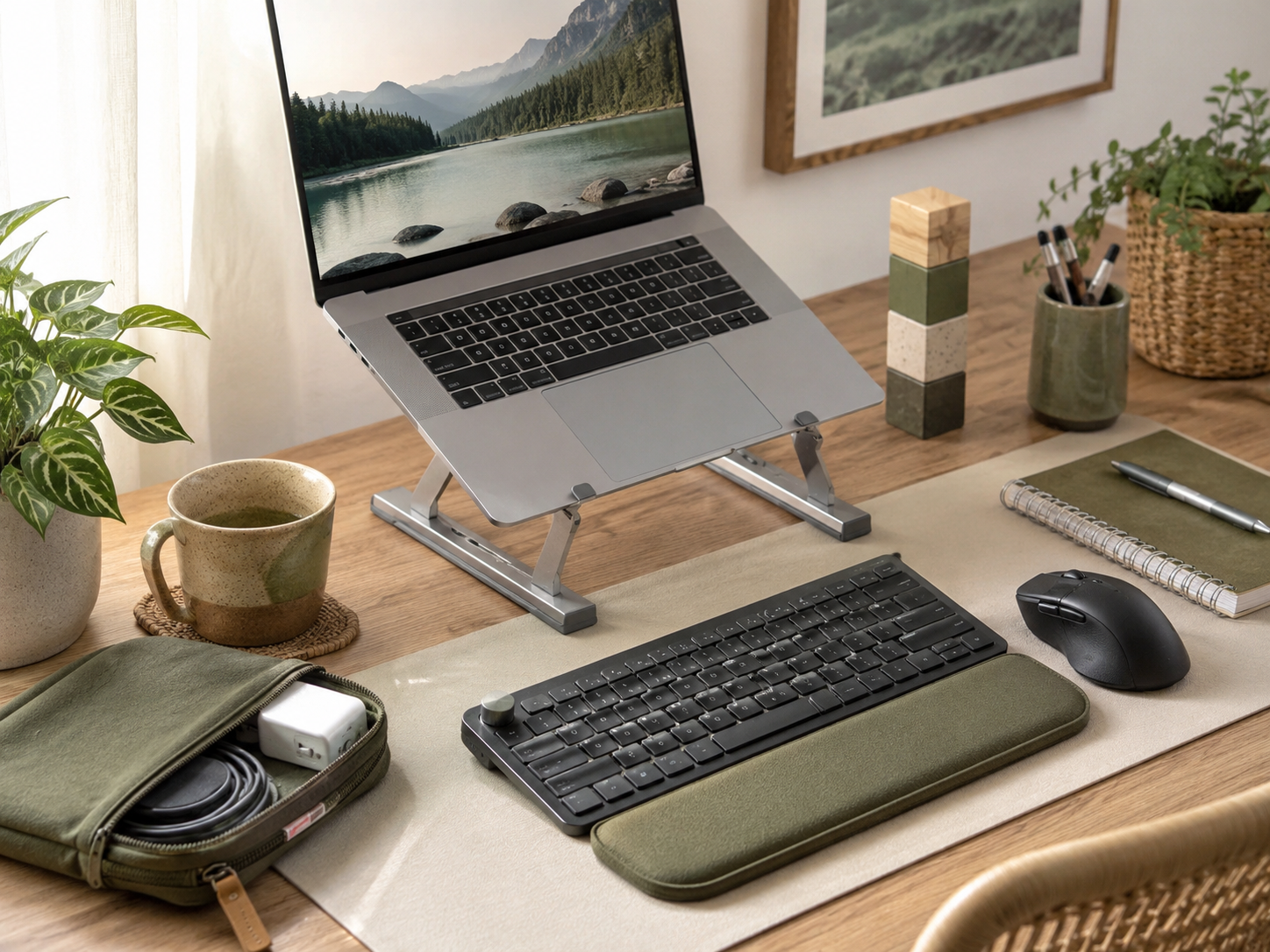
Compact external keyboards
A compact keyboard can make a small desk feel easier to manage. Tenkeyless keyboards remove the number pad, while smaller layouts go further and reduce desk width even more.
The benefit is not just space. A narrower keyboard allows the mouse to sit closer, which can reduce shoulder reach during long sessions.
Wireless keyboard and mouse sets
A basic wireless keyboard and mouse set can be enough for many home workers. You do not need premium gear to improve the setup if the size, comfort and reliability are right.
Check battery type, connection method, key feel and whether the mouse fits your hand. Cheap accessories are only good value when they feel decent enough to use every day.
Vertical mice
A vertical mouse places your hand in more of a handshake position. Some people find this more comfortable for long sessions, especially if a flat mouse leaves the wrist feeling tense.
It is not automatically better for everyone. Try one if wrist position is a clear friction point, but do not buy it just because it looks impressively ergonomic on a product page.
Try The Zero-Cost Version First
Raise the laptop with what you have
Before buying a stand, test the idea with sturdy books, a box or a stable riser you already own. Raise the laptop until the screen feels easier to view without bending your neck down.
This test will not look beautiful, but it helps you confirm whether screen height is the real problem. Your neck does not care whether the stand is stylish during the trial run.
Use any spare keyboard and mouse
If you already have an old USB or Bluetooth keyboard and mouse, try them before buying new ones. The first goal is to separate the screen from the typing position.
Once you know the setup helps, you can upgrade more carefully. That is better than buying a full desk kit and discovering the problem was actually chair height, glare or the fact you sit still for four hours at a time.
How To Arrange The Setup Well
Set the screen at a comfortable height
Adjust the laptop stand so you can look forward comfortably. Your eyes should meet the screen without your head dropping toward the desk.
The exact height depends on your body, chair and desk, so treat this as a comfort target rather than a strict rule. Less neck bending is the win.
Keep the screen close enough
The screen should be close enough to read without leaning forward. If you keep sliding your head toward the laptop, the screen may be too far away or the text may be too small.
Move the laptop closer, adjust zoom or improve lighting before blaming your posture. Sometimes your body is simply trying to read.
Keep your arms relaxed
Place the keyboard and mouse close enough that your elbows stay near your body. Your shoulders should feel dropped and relaxed, not lifted, stretched or pulled forward.
If your desk is too high, you may need to adjust your chair or support your feet. Keyboard position only works when the rest of the setup is not fighting it.
Leave room to move
A better desk setup should not trap you in one perfect position. Leave enough space to shift, stand, stretch and move between tasks.
Posture improves when the setup supports variation. The best position is often the next position, not one heroic pose held until your body starts composing complaints.
Common Setup Mistakes
Typing on the raised laptop
Raising the laptop and then typing on its keyboard for long sessions can create wrist and shoulder strain. The screen may be better, but your hands are now too high.
Use a separate keyboard and mouse when the laptop is on a stand. The raised laptop should become the screen, not the whole workstation.
Buying the fanciest stand first
A premium stand is not always necessary. Stability, height and comfort matter more than a clever design or dramatic product photos.
Start with the basic problem: can the stand raise your screen safely to a better height? If yes, it is already doing the main job.
Placing the mouse too far away
A mouse placed far to the side can keep your shoulder reaching all day. This is common when using a full-size keyboard with a number pad on a small desk.
Move the mouse closer, try a compact keyboard or change the desk layout. Tiny changes in reach can make the setup feel much calmer.
Ignoring breaks
A better setup reduces strain, but it does not cancel the need to move. Even a well-arranged desk becomes tiring if you stay locked in one position for hours.
Stand between tasks, stretch your shoulders, look away from the screen and walk briefly when you can. Ergonomics supports the workday. Movement keeps your body involved.
Pros And Cons Of Separating Your Setup
Pros
Raises the screen to a better viewing height.
Reduces laptop hunching during long sessions.
Lets hands and shoulders work more naturally.
Can be done cheaply with basic accessories.
Works well for small desks and home offices.
Makes the setup easier to adjust over time.
Cons
Needs more desk space than laptop-only work.
Adds extra items to carry if you travel.
Cheap stands can wobble if poorly made.
Wireless accessories need charging or batteries.
The setup still needs regular movement breaks.
It may take a few days to feel natural.
Related Guides To Read Next
Home Office Ergonomics Without Spending A Fortune
Home Office Ergonomics Without Spending A Fortune is the best next read if your laptop setup is only one part of a wider comfort problem. It covers chair support, screen height, keyboard placement, lighting and clutter without pushing an expensive office makeover.
Best Laptop Stands Review
Best Laptop Stands Review is useful if you are ready to compare actual stand options after testing the raised-screen setup. It helps you look beyond product photos and focus on stability, height, portability and everyday use.
Budget Ergonomic Office Accessories
Budget Ergonomic Office Accessories helps you choose low-cost desk upgrades without filling your workspace with gimmicks. It is useful if you want practical support for your wrists, back, screen height and daily comfort.
Sitting Too Long
Sitting Too Long explains why even a better laptop setup still needs movement. A raised screen and separate keyboard help, but your body still benefits from standing, walking and changing position through the day.
FAQ
Do laptop stands actually help posture?
Laptop stands can help posture by raising the screen to a better viewing height. They are most useful when paired with a separate keyboard and mouse, because typing directly on a raised laptop can make wrist and shoulder position worse.
Do I need a keyboard and mouse with a laptop stand?
Yes, for longer work sessions a separate keyboard and mouse are strongly recommended. The stand raises the screen, while the keyboard and mouse keep your hands at a comfortable working height.
Can I just use an external keyboard without a laptop stand?
An external keyboard helps your hands, but it does not fix a low screen. If the laptop stays flat on the desk, you may still bend your neck down to read. The stand, keyboard and mouse work best as a complete setup.
Is a vertical mouse better for desk work?
A vertical mouse can feel better for some people because it changes the wrist angle. It is worth trying if a standard mouse causes tension, but it is not automatically necessary for everyone. Comfort, hand size and placement matter.
How much should I spend on a laptop stand setup?
You do not need to spend heavily. Start by testing the setup with items you already own, then buy a stable laptop stand, comfortable keyboard and mouse if the change helps. Focus on function, not fancy branding.
Can this setup fix neck and shoulder pain?
A better laptop stand, keyboard and mouse setup can reduce strain caused by poor screen height and awkward hand position. It is not a medical fix or a replacement for movement, rest or professional advice if pain is persistent or severe.
Final Verdict
A laptop stand, keyboard and mouse setup is one of the simplest ergonomic upgrades for desk workers. It fixes the main weakness of laptop-only work: the screen and keyboard being stuck together. Raising the screen while keeping your hands lower can reduce hunching, ease shoulder reach and make long work sessions feel less punishing.
Start with a zero-cost test if you are unsure. Use books or a sturdy box to raise the laptop, then add any spare keyboard and mouse. If the setup feels better, invest carefully in a stable stand, compact keyboard and comfortable mouse. The goal is not a perfect desk showroom. It is a setup that helps your body work with less daily friction.






